
Color Cubes Saw 3D
Play Count0
Published2021-03-12
Supported DevicesPC
CategoryArcade & Classic
Rating★★★★★5.0Rate this game
📝Color Cubes Saw 3D Overview
Slice through a 3D cube maze with a spinning saw—match the color or get shredded into a thousand pieces.
💬What is Color Cubes Saw 3D?
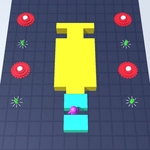
Your mouse steers a whirring saw blade through a floating world of colorful cubes. At first it feels like a casual color-matching toy—drag the blade across cubes, watch them pop into satisfying confetti. But then the target color changes mid-level, and suddenly that red cube you were about to shave is a death trap. The 3D perspective adds a nice twist: you'll need to rotate your view mentally because cubes hide behind others, and the saw doesn't stop just because you can't see around a corner. I lost my first few runs simply because I got greedy, slicing through a cluster of cubes without checking if any non-matching ones were hiding in the middle. That's the 'aha' moment: this isn't a mindless slasher, it's a spatial awareness test disguised as a chill arcade game.
Each level throws a new color at you—blue, green, pink—and the layout gets more cramped. The saw moves fast, maybe too fast if your mouse sensitivity is high, so you learn to make small, deliberate movements instead of wild swings. There's no timer pressuring you, but the game still feels urgent because one wrong color ends the run. I found myself holding my breath while threading the blade between cubes of the wrong color to reach a matching one on the far side. The difficulty curve is fair: early levels let you build confidence with wide open spaces, then later levels pack the cubes into tight spirals and staircases where precision is everything. It reminds me of those mobile hypercasual games, but the mouse control makes it feel more precise than a finger swipe.
If you're the kind of player who gets a kick out of near-misses, you'll keep coming back. The instant restart (no menus, just click to go again) feeds that 'one more run' itch. Just be warned: the saw's collision box is a bit forgiving on the edges, so you can sometimes shave a corner off a wrong cube and survive—use that to your advantage, but don't rely on it.
👥How to Play Color Cubes Saw 3D
[ Mouse ] - To move the chest and to interact with the menu.
✨Game Tips
Move the saw in short strokes rather than long arcs—sudden direction changes at high speed often clip a wrong cube.
Before each level, scan the layout for clusters of the target color that are easy to isolate from non-matching cubes.
If you can't see behind a large cube, rotate your approach or move around it slowly; the saw's reach is longer than it looks.
Don't chase moving cubes unless you're confident—stationary cubes deserve priority first.
Use the edge of the saw blade; the center of the blade has a wider hitbox and can accidentally touch adjacent cubes.
If a level starts with a mixed color cluster, shave the outer layer of the correct cubes first, then work inward.
🔧FAQ
Q: Is Color Cubes Saw 3D free?
A: Yes, it's completely free to play in your browser with no hidden charges.
Q: Do I need to download anything to play?
A: No downloads required. Just open the game page and it runs instantly in your web browser.
Q: Can I play Color Cubes Saw 3D on mobile?
A: The game uses mouse controls, but many mobile browsers support touch emulation. You may need a Bluetooth mouse for best experience.
Q: What happens if I slice a wrong color cube?
A: Your run ends immediately and you'll restart from the current level with a fresh blade.
Q: Is there a pause button or way to save progress?
A: The game is score-based, so progress isn't saved between sessions. Just close the tab and your high score stays in your memory.
Q: Does the game get harder?
A: Yes, levels increase cube density and change target colors more frequently, requiring sharper precision.