
Color Mosaic
Play Count0
Published2026-08-05
Supported DevicesPC + Mobile
CategoryPuzzle & Thinking
Rating★★★★★5.0Rate this game
📝Color Mosaic Overview
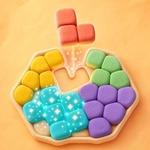
Drag colorful pieces onto the grid, link matching hues, and watch the board clear in a cascade of points.
💬What is Color Mosaic?
I'll admit, I usually bounce off hypercasual color games in about two minutes. Color Mosaic got its hooks in me anyway. The concept is simple: you get a queue of blocky shapes at the bottom, each one painted with a mix of colors. Drag a shape up onto the grid, drop it somewhere, and if you manage to connect three or more same-colored cells, they vanish and everything above slides down. The catch? The board starts small and the shapes keep coming, so wasted space hurts fast.
The real kick is when you spot a perfect fit that clears three different color groups at once. I pulled off a placement that wiped a red cluster, set up a blue chain, and still left room for the next piece—pure dopamine. But then you get cocky, dump a weird T-shape in the corner, and suddenly half the board is locked with no matching neighbors. That tension between planning ahead and reacting to whatever the game throws at you is what kept me clicking retry.
You play with mouse or touch, drag and drop. No timer, no lives, just your board filling up. If you fill the grid completely with no possible moves, it's game over. High scores are the chase. It's perfect for a quick break but deceptively thinky—you'll find yourself mapping out placements three shapes in advance.
👥How to Play Color Mosaic
Choose one of the available shapes at the bottom of the screen.
Drag it onto empty cells on the board.
Connect several neighboring cells of the same color to clear them and earn points.
Plan each placement and keep enough free space for upcoming shapes.
T
✨Game Tips
Don't just dump shapes wherever they fit; check if you can leave a single-color gap that a later piece might fill.
Aim to clear groups that free up the tallest columns first, so you don't get trapped by falling pieces.
Save the bigger shapes for the center of the board where they have more chances to touch same colors.
If you're stuck, hover a shape over multiple spots to see potential connections before dropping.
Keep at least two empty columns near the edges for awkward shapes that can't match anything.
🔧FAQ
Q: Is Color Mosaic free to play?
A: Yes, Color Mosaic is completely free in your browser with no hidden paywalls.
Q: Can I play Color Mosaic on mobile?
A: Absolutely. The touch controls work great on phones and tablets.
Q: Do I need to download anything to start playing?
A: No downloads required. It runs right in your web browser on any device.
Q: Does Color Mosaic have a time limit or lives?
A: No timer or lives. You can take as long as you want per placement, but the board fills up fast.
Q: What happens when I run out of space on the board?
A: The game ends when you can't place the next shape. Your high score is saved automatically.
Q: Is there a way to undo a move in Color Mosaic?
A: Most versions don't have an undo button, so think through each placement carefully.