
Color Parrot
Play Count0
Published2023-07-17
Supported DevicesPC + Mobile
CategoryArcade & Classic
Rating★★★★★5.0Rate this game
📝Color Parrot Overview
One click, one color switch. How long can you keep your parrot matching the oncoming wave before you slam into the wrong shade?
💬What is Color Parrot?
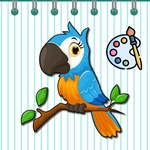
Color Parrot nails the simple-but-unforgiving arcade loop. You get a parrot on the left side of the screen, a line of colored shapes rushing toward it, and one mouse click that changes the bird's color. Match the parrot to the incoming shape and it passes right through. Miss by one shade and that little bird explodes in a puff of digital feathers. I know, sounds easy. Then the speed picks up and you'll catch yourself clicking one beat too late, watching a red parrot slam into a blue barrier you swore was purple a second ago.
What surprised me is how much the game trains your peripheral vision. At first you watch the parrot, then you learn to lock onto the nearest shape's color and click just before impact. The color order isn't random—there's a subtle pattern to the shifting hues, and once you recognize it, you can pre-plan two or three clicks ahead. That moment when you string together a clean run of twenty matches feels genuinely earned. The audio cues are subtle but useful: a soft chime when you match, a crunchy thud when you don't. No lives, no continue screen, just an endless ladder of increasing speed that dares you to beat your own best.
My only gripe is the lack of a pause button, which is brutal when your hand starts to cramp. But honestly, that's part of the charm—it's a pure reflex test dressed up as a colorful parrot. If you've got ten minutes to kill and want to see how quickly your brain can remap colors under pressure, this one's a surprisingly addictive little time sink.
👥How to Play Color Parrot
Mouse to play.
✨Game Tips
Time your clicks to land just before the shape touches the parrot, not when it appears.
Learn the color rotation order early; it repeats, so you can plan two or three moves ahead.
Keep your eyes on the next obstacle, not the parrot's current color—your brain will adjust faster.
Don't panic-click when speed increases; a wrong click is worse than no click at the wrong moment.
Turn on sound if you can; the chime and thud give faster feedback than your eyes.
If you're on a good run, ignore the score and focus on the rhythm—breaking focus ends runs.
🔧FAQ
Q: Is Color Parrot free?
A: Yes, it's completely free to play online with no hidden fees or microtransactions.
Q: Can I play Color Parrot on my phone?
A: Yes, it works in mobile browsers and responds to touch taps just like mouse clicks.
Q: Do I need to download anything?
A: No download needed. It runs right in your browser using HTML5.
Q: Is Color Parrot unblocked at school or work?
A: Usually yes, since it's a simple web game without heavy networking or blockers.
Q: How do I pause or restart a run?
A: Most versions restart with a click after a game over; there's no pause button by design.
Q: Does Color Parrot save my high score?
A: It depends on the site, but generally the game tracks your best run locally in your browser.