
Color Quest : Colors Game
Play Count0
Published2022-10-03
Supported DevicesPC + Mobile
CategoryArcade & Classic
Rating★★★★★5.0Rate this game
📝Color Quest : Colors Game Overview
Flood every square with a single hue before the moves run dry — but each tap rewrites the entire board, so plan your color chain like a boss.
💬What is Color Quest : Colors Game?
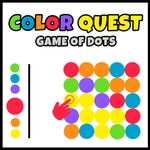
Color Quest : Colors Game is a deceptively simple flood puzzle. You start with a grid of colored blocks, and each tap changes the color of every block connected to your starting cell. The goal is to make the entire board one color before you run out of moves. It feels easy for the first five seconds — then you realize that one careless tap can split your color region into a disconnected mess that takes three moves to recover from.
The real trick is planning your color path. You're not just picking colors you like; you're trying to absorb the largest possible chunks each turn. I kept getting greedy, jumping to a color that looked big, only to strand a tiny island of same-colored cells that refused to connect. Then I'd have to waste a move reconnecting them. The game rewards patience and looking three steps ahead, like a tiny abstract strategy board. If you've ever played Flood It or similar color-spreading puzzles, you'll slip right into the rhythm.
It's purely mouse or touch driven, so it works great on a phone or laptop. No download, no setup — just open the tab and start flooding. If you like Zebra puzzles or that old Flood It app, this will scratch the same itch.
👥How to Play Color Quest : Colors Game
The objective of this game is to fill the screen with one color.
✨Game Tips
Always check which color would connect the most isolated islands before tapping.
Don't waste early moves on tiny color patches; build a large base region first.
If you're stuck, restart — it's random, some boards are solvable with fewer moves.
Keep an eye on corner cells: they're the hardest to absorb if you ignore them.
Count your remaining moves before committing to a color that looks tempting but doesn't link distant zones.
🔧FAQ
Q: Is Color Quest : Colors Game free to play?
A: Yes, it's completely free in your browser with no hidden paywalls or ads interrupting the puzzle.
Q: Can I play Color Quest : Colors Game on my phone?
A: Absolutely — it works on any modern mobile browser, and the tap controls feel natural on a touchscreen.
Q: Do I need to download or install anything?
A: No downloads needed. Just open the game page and start playing instantly on any device with HTML5.
Q: How many moves do I get in Color Quest : Colors Game?
A: Move limits vary by level. Early puzzles give you a comfortable buffer, but later grids demand precise color planning.
Q: Can I undo a move if I make a mistake?
A: There's no undo button, so you'll need to think ahead. If you're stuck, refreshing the page starts a new random board.
Q: Is there a way to skip a level if it's too hard?
A: The game usually has a progression system, but you can often restart the current puzzle or try a different seed by refreshing.