
Color SHOOT
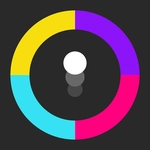
📝Color SHOOT Overview
Blast through waves of colored targets that spawn faster every second — your mouse is the only weapon that matters.
💬What is Color SHOOT?
Strip away timers, story, and inventory management — Color SHOOT leaves you with a cursor, a screen full of colored shapes, and one instruction: pop them. Colored circles drift across the screen, and your job is simple: click them before they escape or pile up. The trick is that different colors behave differently — some split into smaller pieces, some are worth double points, and a few are traps that cost you a life if you hit them. The mouse cursor becomes an extension of your reflexes. Each level throws faster spawn rates and trickier patterns at you, so you're constantly recalibrating your aim. I found myself leaning closer to the screen during the later waves, half-whispering 'not that one, not that one' as a red bomb floated past.
What kept me coming back isn't depth; it's the rhythm. There's a meditative quality to popping targets in a steady stream, then a jolt of adrenaline when the screen suddenly floods with a dozen new shapes. The hit feedback is crisp — a quick flash, a tiny particle burst, sometimes a chime that stacks into a satisfying combo melody. Miss a target and the punishment is immediate but fair, so you quickly learn to prioritize threats over greed. Color SHOOT won't change your life, but it's the perfect five-minute fix between classes or meetings. And yes, I absolutely blamed my wireless mouse when I missed a critical shot.
👥How to Play Color SHOOT
CLICK WITH MOUSE
✨Game Tips
- Don't chase targets with your cursor; let them drift into your aim. Clicking where they're going beats clicking where they are.
- If a target splits into smaller pieces, pop the fragments immediately before they scatter.
- Learn which colors are safe and which are traps by watching the first level carefully — a wrong click can cascade.
- When the screen floods, spam-click in the general area of densest color rather than trying to be precise.
- Turn off mouse acceleration in your OS settings if you have it on — raw input makes your aim far more consistent.
- Take a half-second breather between waves. It resets your mental rhythm and prevents panic clicking.
🔧FAQ
Q: Do I need to download anything to play Color SHOOT?
A: No downloads needed. It runs directly in your browser as an HTML5 game, so you can start playing instantly.
Q: Is Color SHOOT free?
A: Yes, completely free. There are no paywalls or premium features — just click and play.
Q: Can I play Color SHOOT on my phone?
A: The game is designed for mouse input, but many touchscreens work fine. Tap targets instead of clicking.
Q: What happens if I miss too many targets?
A: Each missed target reduces your lives or score. Run out and the round ends, but you can restart immediately.
Q: Are there different game modes or levels?
A: Yes, waves get progressively harder with faster spawns and new color behaviors. Some versions include bonus rounds.
Q: How do I know which targets are traps?
A: Trap colors are usually shown in the first level or a brief tutorial. Pay attention to outlines or pulsing effects.