
Color Slice 3D
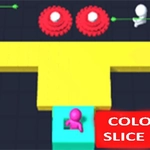
📝Color Slice 3D Overview
Steer a swelling crowd through a razor-sharp 3D maze and slice only the colors that match your own — one wrong swipe and you'll watch your numbers drop.
💬What is Color Slice 3D?
I'll be honest: when I first clicked Color Slice 3D I expected another throwaway hypercasual clone. Twenty minutes later I was still hunched over my keyboard, muttering at a wall of purple blocks that just ate half my orange crowd. That's the hook. You drag a growing horde of stick figures through a twisting 3D gauntlet, and every turn forces you to decide: do I slice through this matching color to grab a few extra followers, or do I swerve and lose time but keep everyone safe? It sounds simple, but the geometry ramps up fast. Some levels have moving blades that carve your crowd down to a sliver if you're not paying attention. Others throw narrow bridges where one false flick of the mouse scatters a third of your guys into the void.
What I like most is the tactile satisfaction. There's a tiny pause when your crowd hits a matching-color panel, then the satisfying crunch as the shape splits open and spills out a flood of new followers in your color. You feel the weight of the crowd shift. Miss a color match? You'll bounce off with a dull thud and watch a chunk of your mob turn gray and float away. That feedback loop keeps you coming back because every run feels fixable — you always know exactly what you did wrong, and the next attempt is one restart away.
Controls couldn't be simpler: arrow keys or mouse drag, that's it. But the skill ceiling is real. The later stages demand split-second color recognition while steering around saw blades and moving barriers. If you're into games like Crowd City or Count Masters, this scratches the same itch but with a sharper edge. It's the kind of game you open for a two-minute break and accidentally sink half an hour into. Just don't blame me when your eyes start playing tricks with yellow and green.
👥How to Play Color Slice 3D
Use arrow keys or move to move the crowd.
✨Game Tips
Watch the color of the next gate before you commit to a turn — braking is often safer than guessing.
Don't chase every single color match if the path is narrow; keeping a large crowd alive beats grabbing two extra guys.
On levels with rotating blades, time your movement right after the blade passes, not before.
If you're using mouse drag, use small, controlled swipes instead of flinging the cursor across the screen.
Replay earlier levels to stack up your crowd size; some later stages are much easier with a bigger numbers buffer.
🔧FAQ
Q: Is Color Slice 3D free to play?
A: Yes, Color Slice 3D is completely free to play in your browser.
Q: Can I play Color Slice 3D on mobile?
A: It works on most modern phones and tablets using touch controls.
Q: Do I need to download anything to play?
A: No download needed — it runs directly in your web browser.
Q: What are the controls for Color Slice 3D?
A: Use arrow keys on desktop or drag with your finger on mobile.
Q: Does Color Slice 3D work offline?
A: Yes, once the game loads you can play offline in most browsers.
Q: How hard does Color Slice 3D get?
A: It starts easy but ramps up fast; expect a real challenge after the first few levels.