
Coloring Book for Spongebob
Play Count0
Published2022-10-03
Supported DevicesPC + Mobile
CategoryArcade & Classic
Rating★★★★★5.0Rate this game
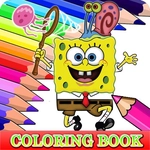
📝Coloring Book for Spongebob Overview
Grab a virtual crayon and start filling Bikini Bottom with color in this laid-back Spongebob coloring book—no rules, no timer, just pure coloring fun.
💬What is Coloring Book for Spongebob?
Coloring Book for Spongebob strips away every stressful layer of gaming and leaves you with the good stuff. You get a stack of black-and-white Spongebob scenes—Patrick being Patrick, Spongebob flipping Krabby Patties, Squidward looking unimpressed—and a palette of colors that actually respond like you're using a fat marker on paper. Pick a shade, click inside a section, and it fills instantly. The satisfying part? You can't really mess up. If you hate a color choice, just paint over it. No undo needed, no penalty, no timer ticking down.
I spent a weirdly long amount of time on a page with Spongebob's face. His pores are these tiny circles, and I ended up making each one a different neon color just to see if the game would let me. It did. That's when this stopped being a kid's game and became a stress-relief toy. The mouse controls are loose enough that even sloppy clicks land where you want, and the tap support means you can hand it to a toddler with a tablet without worrying about them getting stuck.
What surprised me most is how well the colors stay inside the lines. Most browser coloring games bleed over edges or leave awkward white gaps. This one uses a clean fill system that respects the boundaries, so the finished page looks like an actual coloring book page you'd put on the fridge. You won't find levels, scores, or unlockables—just quiet, low-stakes color matching for however long you want to zone out.
👥How to Play Coloring Book for Spongebob
Use your mouse to play the game or tap on the screen!
✨Game Tips
Fill all the big shapes first, then tackle smaller details like Spongebob's tie to keep the page looking clean.
If a color looks too dark on screen, don't hit undo—just replace it with a lighter shade after seeing the full page.
Try tapping the same section twice with different colors to see how the game swaps instantly, which is great for experimenting.
Hand the game to a kid on a touchscreen—they can't close the page by accident with only one tap needed.
Don't bother trying to color outside the lines; the game won't let you, so you can click fast without precision.
Use the smallest brush if you want to color individual dots or tiny details without spilling into neighboring areas.
🔧FAQ
Q: Is Coloring Book for Spongebob free to play?
A: Yes, it runs directly in your browser at no cost. No hidden payments or premium colors.
Q: Can I play Coloring Book for Spongebob on my phone?
A: Absolutely. The game works with taps on any touchscreen, so phones and tablets are fine.
Q: Do I need to download or install anything?
A: No downloads needed. It loads instantly as an HTML5 game in your browser.
Q: What ages is this game suitable for?
A: It's perfect for young kids but also relaxing for adults who just want to zone out for a few minutes.
Q: Does Coloring Book for Spongebob save my finished pictures?
A: It doesn't save automatically. You can take a screenshot if you want to keep a page.
Q: Are there other characters besides Spongebob?
A: Yes, the pages include Patrick, Squidward, and other familiar faces from Bikini Bottom.