
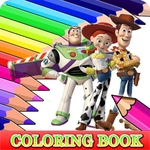
Coloring Book for Toy Story
Play Count0
Published2022-10-03
Supported DevicesPC + Mobile
CategoryArcade & Classic
Rating★★★★★5.0Rate this game
📝Coloring Book for Toy Story Overview
Grab your digital crayons and bring Woody, Buzz, and the whole Toy Story gang to life in this laid-back coloring playground.
💬What is Coloring Book for Toy Story?
I'll admit, I opened Coloring Book for Toy Story expecting to kill five minutes while my nephew was busy. Twenty minutes later I was still there, zoomed in on Woody's badge, trying to decide if gold or yellow was the right call. This is one of those rare browser games that doesn't care about score, time limits, or winning. It just hands you a stack of black-and-white Toy Story scenes and a full palette, then gets out of your way.
The controls couldn't be simpler. Move your mouse over a section, click, and the color drops in. Tap works the same on a touchscreen. What surprised me is how satisfying the fill mechanic feels—especially when you line up the edges just right and the whole area floods with color without a single stray pixel. I kept coming back to the same page of Buzz Lightyear because I accidentally made his helmet lime green and couldn't stop laughing at how wrong it looked. There's no eraser, so that mistake was permanent until I refreshed, but honestly, that's part of the charm. It's not a precision art tool; it's a digital coloring book that rewards patience more than skill.
Kids will love seeing Andy's toys in a way they can control, and grown-ups might find it weirdly soothing after a long day. The arcade category fits because it's instant, pick-up-and-play, no reading required. My only complaint? I wish there were more pages. If you've got a young fan of the franchise or you just want ten minutes of low-stakes creativity, this one does exactly what it promises.
👥How to Play Coloring Book for Toy Story
Use your mouse to play the game or tap on the screen!
✨Game Tips
• Start with big flat areas like walls or the floor to get a sense of the palette before tackling tiny details.
• Switch to a smaller tap or click zone around eyes and badges; those edges are where colors bleed most.
• Keep your first version simple: three main colors plus one accent keeps the page looking intentional instead of chaotic.
• If you mess up on mobile, refresh the page—there's no undo, so a clean restart beats fighting a bad fill.
• Color the background lightly or not at all at first; characters pop better against pale or white space.
🔧FAQ
Q: Is Coloring Book for Toy Story free to play?
A: Yes, it's completely free and runs right in your browser with no payment or subscription needed.
Q: Do I need to download or install anything?
A: No download is required. The game loads directly in your web browser using HTML5.
Q: Can I play on my phone or tablet?
A: Yes, tap controls work on mobile devices and the page scales to fit most screen sizes.
Q: Is there a time limit or score?
A: No, there's no timer or scoring. You can color at your own pace without pressure.
Q: Do I need a Toy Story account to access the game?
A: No account or login is necessary. Just open the page and start coloring.
Q: Can I save or print my finished artwork?
A: The game doesn't have a built-in save button, but you can take a screenshot to keep your work.