
Colors Mumble
Play Count0
Published2022-01-24
Supported DevicesPC + Mobile
CategoryAction & Fighting
Rating★★★★★5.0Rate this game
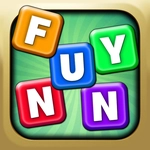
📝Colors Mumble Overview
Click fast, switch colors on the fly, and survive a chaotic wave of color-coded enemies that punish every wrong move.
💬What is Colors Mumble?
You've got a cursor, a grid of colored pads, and a screen filling with angry blobs. Each blob wears a color, and the only way to pop it is to hit it with the matching shade. Sounds simple until the red and blue ones start overlapping and you accidentally click a purple pad because your brain is still on autopilot. That's Colors Mumble in a nutshell — a twitchy mouse-only brawl where your reflexes and short-term memory do all the heavy lifting.
I'll admit I lost my first three runs inside twenty seconds. The trick nobody tells you is that the color pads don't stay in fixed spots every round. They shuffle, which means the blue you memorized in the corner is suddenly bottom-right and you're clicking empty space like an idiot while a green blob chews through your health. Once I stopped trying to memorize positions and started reading the colors themselves, my score shot up. That's the real game: unlearning your own habits faster than the enemies change colors.
The mumble part? You'll find yourself muttering color names under your breath as the speed ramps up. It's not a rhythm game, but there's a weird beat to it — click, switch, click, switch, dodge the big one that splits into three smaller ones. You'll die a lot, but each death teaches you something dumb, like "don't stand near the corner when the orange wave rolls in." It's ugly, it's frustrating, and I kept coming back for one more round.
👥How to Play Colors Mumble
Use your mouse to play.
✨Game Tips
Keep your cursor near the bottom row of color pads — short travel time saves lives when a yellow blob rushes you.
Prioritize the smallest blobs first; they're faster and they split if you leave them alone too long.
Watch the color pad shuffle animation before the wave starts; don't assume blue stays where it was last round.
Use the edges of the play area to funnel enemies into a line, then click the matching color pad and sweep through them.
When a big blob splits, the new pieces keep the same color for half a second — hit them during that window before they change.
🔧FAQ
Q: Is Colors Mumble free to play?
A: Yes, the game is completely free and runs in your browser with no paywalls.
Q: Can I play Colors Mumble on my phone?
A: The game is built for mouse controls, so mobile browsers won't work properly. Use a desktop or laptop.
Q: Do I need to download or install anything?
A: No downloads or plugins needed. Just open the page and start clicking.
Q: What are the controls for Colors Mumble?
A: You only need your mouse: move to aim, click the colored pads to switch your shot color, and click the screen to fire.
Q: How do I change my shot color in the middle of a wave?
A: Click one of the colored pads at the bottom of the screen. Your next shot will use that color until you switch again.
Q: Why do I keep losing so fast?
A: Enemies speed up after each wave, and color pads shuffle positions. Stay calm, keep your cursor near the pads, and don't spam clicks.