
Commando
Play Count0
Published2020-03-12
Supported DevicesPC
CategoryAction & Fighting
Rating★★★★★5.0Rate this game
📝Commando Overview
You're outnumbered, outgunned, and the only way forward is through.
💬What is Commando?
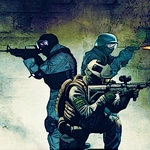
Commando throws you into a run-and-gun where hesitation equals a respawn screen. You'll sprint with Left Shift, crouch behind crates with Ctrl, leap gaps with Space, and lob grenades with G when a whole squad lines up. The mouse does double duty: right-click locks your aim, left-click unloads. It sounds simple until three riflemen, a grenadier, and a turret all decide you're the day's target practice.
What got me hooked is how movement and shooting feed each other. You can't just hold forward and spray—you need to strafe, jump over low cover, and slide into a crouch mid-firefight to make your hitbox tiny. I remember one run where I rounded a corner, spotted four enemies, hit G before they could react, and watched the explosion chain into a fuel barrel. That kind of moment happens every few minutes. Ammo is finite enough to make you respect it, and health doesn't regenerate on its own, so every skirmish becomes a little puzzle of angles and timing.
It's not a brainless shooter, especially when you're pinned behind a box and hear the telltale clink of an enemy grenade. The pixelated military aesthetic keeps things readable—enemies pop against the terrain, and hits give a satisfying yellow flash. If you're after a fast, tight action game that punishes sloppiness and rewards sharp reflexes, this one earns a spot in your rotation.
👥How to Play Commando
• WASD or Arrow keys: move
• Left mouse button: fire
• Right mouse button: aim
• Space bar: jump
• Tab: pause
• Ctrl: crouch
• Left Shift: Run
• G: throw grenade
✨Game Tips
Crouch with Ctrl to shrink your hitbox when bullets get thick—it's saved my run more times than I can count.
Right-click to aim before firing; hip fire burns ammo and misses the guys who matter.
Don't stockpile grenades. Throw G early when two or more enemies cluster together.
Use Left Shift to sprint between cover, not across open ground. You'll die less.
Tab pauses the game—use it to breathe, check enemy positions, and plan your next three moves.
Keep moving. A stationary Commando is a free kill for the AI.
🔧FAQ
Q: Is Commando free to play?
A: Yes, it's completely free—no hidden fees or premium unlocks.
Q: Can I play Commando on mobile?
A: The game is best with keyboard and mouse, but many mobile browsers can run it with touch controls if available.
Q: Do I need to download anything to play?
A: No downloads required. It runs right in your browser as an HTML5 game.
Q: What are the controls for Commando?
A: WASD or arrow keys move, left mouse fires, right mouse aims, Space jumps, Ctrl crouches, Shift runs, G throws grenades, Tab pauses.
Q: Does Commando save my progress?
A: Progress isn't saved between sessions—each run starts fresh, which is part of the arcade challenge.
Q: Is Commando unblocked at school?
A: It's an unblocked game designed to work on restricted networks, but your school's firewall may still vary.