
Commando FPS
Play Count0
Published2019-10-30
Supported DevicesPC
CategoryAction & Fighting
Rating★★★★★5.0Rate this game
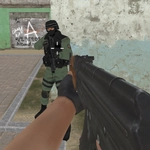
📝Commando FPS Overview
Drop into a fast-paced military shooter where every corner hides a hostile and your trigger finger decides who walks away.
💬What is Commando FPS?
You spawn in with a rifle and a simple job: clear the map before the enemy clears you. Movement feels snappy — WASD, jump on space, crouch with Ctrl when you need to steady a shot, and hold Shift to sprint between cover. Right mouse brings up your sights, and if you get tired of the standard view, hit C to flip between first-person and a third-person angle that helps you peek around corners.
The AI isn't dumb. They'll flank, duck behind crates, and force you to keep moving. I started out trying to camp one doorway and got punished for it — a grenade landed at my feet and I had to sprint out like an idiot. That's when the game clicked. You're not supposed to stand still. Jump over obstacles, slide into cover, pop out, land a few headshots, and reposition.
It's not a huge budget title, but it doesn't need to be. The gunplay has enough weight to feel satisfying, and the low-poly style keeps it running smooth even on a school Chromebook. If you've got fifteen minutes and want a shooter that respects your time, this is an easy pick. Just remember to pause with Tab when the teacher walks by.
👥How to Play Commando FPS
Controls
• WASD or arrow keys to move
• Left mouse button to fire
• Right mouse button to aim
• Space bar to jump
• Tab to pause
• C to switch between third-person and first-person view
• Ctrl to crouch
• Left Shift to run
✨Game Tips
Switch to third-person (C) when entering open areas — the extra field of view will save your life.
Don't hold down the trigger at long range; tap fire in bursts to keep your aim steady.
Crouch before shooting to reduce recoil, especially when using the rifle at mid-range.
Use Shift to sprint between cover, but remember you can't shoot while sprinting.
Jump onto crates or ledges for a height advantage; many enemies don't look up.
Press Tab to pause if you need to check your controls or catch your breath.
🔧FAQ
Q: Is Commando FPS free to play?
A: Yes, the game is completely free and runs directly in your browser with no paywalls.
Q: Do I need to download anything to play Commando FPS?
A: No downloads needed. It loads as an HTML5 game, so you can start playing immediately.
Q: Can I play Commando FPS on mobile?
A: The game is designed for keyboard and mouse, so mobile touch controls may not work well. Use a desktop or laptop.
Q: Does Commando FPS have multiplayer?
A: No, it's a single-player shooter where you fight AI enemies on your own.
Q: How do I change the camera view in Commando FPS?
A: Press C to switch between first-person and third-person view anytime during gameplay.
Q: What should I do if the game freezes or runs slowly?
A: Close other browser tabs and lower the game quality if available, or try a different browser like Chrome.