
Connect A Dot
Play Count0
Published2020-10-02
Supported DevicesPC
CategoryPuzzle & Thinking
Rating★★★★★5.0Rate this game
📝Connect A Dot Overview
Trace a clean line through every dot without lifting your finger — sound easy? Wait until the grid tightens.
💬What is Connect A Dot?
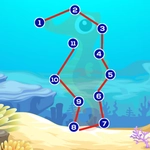
You've seen connect-the-dots puzzles before, but Connect A Dot strips the concept down to its purest form. No numbers, no hints — just a grid of identical dots and your finger or mouse. The goal sounds almost stupidly simple: draw one continuous line that passes through every dot exactly once. Early boards take five seconds. You'll smirk, clear a few, and wonder what the fuss is about. Then the grid changes shape. Dots start clustering in weird patterns, dead ends appear from nowhere, and that smug feeling evaporates fast.
What hooked me is how the game punishes overconfidence. You'll trace a line three quarters of the way across the board, feeling brilliant, only to realize you've boxed yourself into a corner with one untouched dot mocking you from the opposite side. There's no timer, no move limit, just an undo button that becomes your best friend. I lost a whole lunch break trying to crack a board that looked like a squashed spider. The click of the line snapping into place when you finally nail it? Genuinely satisfying. Each completed puzzle unlocks the next, and the difficulty curve is sneaky — it never spikes, it just keeps adding one more twist until you're staring at the screen muttering 'one more try' at 11pm.
The controls are as basic as they get: click or tap a dot, drag to the next, keep going. Works fine with a mouse, but on a touchscreen it feels natural — the line follows your fingertip with no lag. There's no music blaring, no flashy effects, which I appreciate because the puzzle itself is enough noise. If you like minimalist brain teasers that don't hold your hand, this one earns a spot in your rotation. Fair warning: it's deceptively quiet, but your brain will be loud.
👥How to Play Connect A Dot
Use your mouse or finger to play this game.
✨Game Tips
• Start from a dot with an odd number of connections if possible — it often forces the correct path early.
• Use the undo button aggressively; there's no penalty for trying a branch and backing out.
• Look for bottlenecks: dots with only two possible neighbors are usually on the main line, so map them first.
• On tricky boards, work backwards from the last few dots you know must connect, then meet in the middle.
• If a dot has three or more open neighbors, don't commit yet — trace a mental path around it before drawing.
• Switch to a stylus or finger if you're on mobile; mouse dragging can get twitchy on tight turns.
🔧FAQ
Q: Is Connect A Dot free?
A: Yes, it's completely free to play in your browser with no paywalls.
Q: Do I need to download anything to play?
A: No download required. It runs instantly as an HTML5 game in any modern browser.
Q: Can I play Connect A Dot on mobile?
A: Absolutely. Touch controls work fluidly, just tap and drag dots with your finger.
Q: Does Connect A Dot save my progress?
A: Most browser versions keep your level in local storage, but closing the tab may reset it if you clear cookies.
Q: Is there a timer or move limit?
A: No timer, no move limit. You can take as long as you need on every puzzle.
Q: What age is Connect A Dot suitable for?
A: It's kid-friendly and great for all ages, though later levels can challenge adults too.