
Control Ball
Play Count0
Published2021-06-01
Supported DevicesPC + Mobile
CategoryArcade & Classic
Rating★★★★★5.0Rate this game
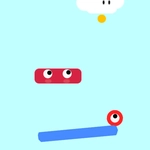
📝Control Ball Overview
Steer a nimble ball through twisting corridors, dodge spinning barriers, and thread the needle at full speed—how far can you push your reflexes?
💬What is Control Ball?
Control Ball looks deceptively simple: a bright ball, a maze, a goal. Then you hit the first moving spike trap and realize your arrow keys are the only thing between victory and a very quick respawn. The controls are tight—no momentum drift, no input lag—so every death feels earned. That's the hook. I lost a solid twenty minutes on a level with two rotating blades spaced exactly one ball-width apart, convinced I could thread it if I just slowed down. Spoiler: slowing down was not the move.
The level design deserves credit. Early stages teach you the basics without a single tutorial box: wider paths, static obstacles, plenty of room to breathe. By the time you're in the double-digit levels, you're navigating 90-degree corners with a moving wall behind you. It's not cruel, though. Checkpoints are generous, and restarting is instant. You'll die, sure, but you're back in the action before the frustration sets in. That loop—die, adjust, try again—is classic arcade crack.
Visually, it's clean and readable, which matters when the pace picks up. No fancy particle effects to hide hitboxes; what you see is what you get. The ball doesn't skid or bounce unpredictably. If you clip a corner, that's on you. It runs in any browser, no download, and works fine with keyboard or touch. For a quick break between classes or a dopamine hit on your phone, it's hard to beat.
👥How to Play Control Ball
Simple gameplay with efficient and easy to learn controls.
✨Game Tips
Tap the movement keys lightly instead of holding them—Control Ball punishes overcorrection harder than hesitation.
Memorize the rotation pattern of moving obstacles before charging through; most spin on a fixed cycle.
Use the edges of the path to line up tight corridors, but don't hug them too closely or you'll clip the wall.
Keep your speed consistent in narrow passages; sudden stops mid-turn often throw off your line.
If you're stuck, replay earlier levels to build muscle memory—the same obstacle types reappear.
🔧FAQ
Q: Is Control Ball free to play?
A: Yes, it's completely free in your browser—no hidden fees or premium levels.
Q: Can I play Control Ball on mobile?
A: Yes, the game supports touch controls and runs smoothly on phones and tablets.
Q: Do I need to download anything?
A: No download needed. Just open the page in any modern browser and start rolling.
Q: What are the controls?
A: Use arrow keys or WASD to move the ball. On mobile, swipe or use on-screen buttons.
Q: Is Control Ball unblocked at school?
A: Usually yes—it's hosted as an unblocked HTML5 game, so many school networks allow it.
Q: Can I save my progress in Control Ball?
A: Your current level is saved automatically in your browser; clearing cookies may reset it.