
Cooking Korean Lesson
Play Count0
Published2021-09-24
Supported DevicesPC + Mobile
CategoryGirls & Lifestyle
Rating★★★★★5.0Rate this game
📝Cooking Korean Lesson Overview
Grab your virtual apron and learn to whip up Korean dishes step by step—no real kitchen mess required.
💬What is Cooking Korean Lesson?
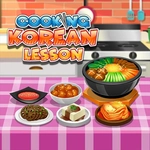
I'll admit, I opened this one expecting another drag-and-drop cooking chore, but the Korean dishes actually made me hungry. You follow along as a cheerful instructor walks you through classic recipes, and each step uses the mouse in a way that makes sense—click a knife to chop, drag ingredients into the pan, tap the stove to control heat. The animations are simple but the ingredients look bright and recognizable. One recipe had me layering rice, vegetables, and egg into a bowl for bibimbap, and I had to get the order right or the game nudged me back with a red flash.
Where it gets tricky is pace. Some steps feel slow if you're impatient, but that's also the charm—it's a cooking lesson, not a time-attack frenzy. There's no penalty for experimenting with the wrong tool, which makes it good for younger players or anyone just curious about Korean food. I kept replaying the tteokbokki stage because the spicy sauce sound effect was weirdly satisfying.
The controls are dead simple: left mouse button only. No keyboard gymnastics, no frantic clicking. You'll pick up the flow within a minute. It's the kind of game you can play while half-watching a video, but you might find yourself actually paying attention to the recipe steps because they do teach real Korean flavor combos. Overall, a cozy, low-pressure lesson that leaves you wanting to cook the real thing.
👥How to Play Cooking Korean Lesson
Use the left mouse button mouse to choose tools and cook.
✨Game Tips
• Watch the cursor closely—if it doesn't change shape, you're not hovering over an interactive tool.
• Follow the recipe order exactly; the game checks the sequence, not just the finished dish.
• Don't be afraid to click the wrong utensil, the reactions are funny and harmless.
• Keep an eye on the stove heat indicator, turning it up too high can ruin certain steps.
• Replay each dish after you nail it, you'll spot shortcuts and little details you missed.
🔧FAQ
Q: Is Cooking Korean Lesson free to play?
A: Yes, it's completely free in your browser with no payment wall.
Q: Can I play Cooking Korean Lesson on mobile?
A: It works on most touchscreens, though a mouse gives you better precision.
Q: Do I need to download anything to start?
A: No downloads or installs—just open the page and start cooking.
Q: What age group is this game best for?
A: It's ideal for kids and casual players, but Korean food fans of any age will enjoy it.
Q: Does Cooking Korean Lesson teach real recipes?
A: It introduces real dishes like bibimbap and kimchi, but simplified for play.
Q: What if I get stuck on a step?
A: Look for a glowing outline or hint marker—it usually points to the next tool.