
Corona Defense
Play Count0
Published2020-06-18
Supported DevicesPC + Mobile
CategoryArcade & Classic
Rating★★★★★5.0Rate this game
📝Corona Defense Overview
Viruses are swarming and your cursor is the only vaccine—how long can you hold the line?
💬What is Corona Defense?
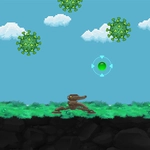
You know that moment in an arcade shooter when the screen starts filling up and your hand moves before your brain does? That's Corona Defense in a nutshell. You control a targeting reticle with the mouse, left-click to fire, and watch virus particles pop one by one. The first few waves feel like a warm-up—spiky green blobs drifting in slow, lazy arcs. Then the mutated ones arrive, splitting into two smaller copies the instant you shoot them. Suddenly your mouse pad isn't big enough.
There's a weird satisfaction to the pop-pop-pop rhythm once you find your groove. Your shots don't have travel time, so it's all about tracking. The real trick is picking targets before they cluster near the bottom of the screen. I kept dying from one sneaky strain that hugged the edge, so now I sweep the periphery constantly. The health bar isn't generous, but it's fair—every hit you take feels like your own sloppy aim, not cheap AI.
Graphically it's nothing fancy, just clean shapes and a dark background that makes the virus glow angry red when you're about to lose a life. That contrast helps more than you'd think. The sound design is basic but effective: a satisfying blip for every successful shot, a sharper alarm when a virus slips past your cursor. No story, no upgrades, no pause between waves—just you, the mouse, and an endless wall of infectious pixels. It's exactly the kind of game you open for five minutes and close an hour later with a sore wrist.
👥How to Play Corona Defense
Use the mouse to shoot the virus!
✨Game Tips
Aim for the clusters first—one shot can pop multiple viruses if they're overlapping, and splitting enemies multiply fast.
Prioritize the fastest-moving strains; they drain your health before the slow tanky ones even get close.
Don't hold down the mouse button constantly. Tapping gives you better accuracy and stops the cursor from drifting.
If a virus splits, target the smaller halves immediately—they're quicker and harder to track.
Keep scanning the screen edges, especially the bottom corners. Enemies love to slip in there when you're focused on the center.
If you hear the warning alarm, stop shooting randomly and do a quick visual sweep before firing again.
🔧FAQ
Q: Is Corona Defense free to play?
A: Yes, it's completely free—no paywalls or locked content.
Q: Can I play Corona Defense on mobile?
A: The mouse controls work best on desktop, but some mobile browsers may support touch input.
Q: Do I need to download anything to play Corona Defense?
A: No download or installation needed. It runs directly in your browser.
Q: What are the controls in Corona Defense?
A: Move your mouse to aim and left-click to shoot the viruses.
Q: Is there a limit to how many viruses I can shoot?
A: No, the waves are endless—your only limit is how long you can survive.
Q: Does Corona Defense have multiple levels or endless waves?
A: It's an endless survival format, so the difficulty keeps ramping up with each wave.