
Cosmic Connector
Play Count0
Published2025-05-26
Supported DevicesPC + Mobile
CategoryPuzzle & Thinking
Rating★★★★★5.0Rate this game
📝Cosmic Connector Overview
Tap your way through a shimmering web of stars and see if you can connect every node without crossing your own path.
💬What is Cosmic Connector?
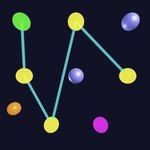
Cosmic Connector drops you into a grid of scattered celestial nodes—stars, quasars, maybe a rogue planet or two. Your job is deceptively simple: draw a continuous line that links every single node exactly once, without retracing your steps. The first few levels feel like a gentle warm-up, but the difficulty sneaks up fast. New obstacles start appearing: locked nodes that need a specific order, fading paths that vanish after one pass, and black holes that swallow your line if you clip their edge. I hit a wall around level 12 where a single misplaced tap meant restarting the whole constellation from scratch. That mix of relaxing visuals and quietly vicious puzzle design is what makes it stick.
What kept me coming back was how tactile the whole thing feels. Left-click or tap, and the line snaps to the nearest node with a little pulse of light. There's no timer, no score penalty for experimentation—just you, the pattern, and that 'aha' moment when the solution clicks. The cosmic aesthetic isn't just window dressing either; the background subtly shifts with each completed constellation, which makes the grind feel oddly rewarding. If you've ever gotten hooked on those line-connecting puzzle games where the answer looks impossible until it isn't, this is the same fix, only dressed in nebulae and stardust.
The controls couldn't be simpler: one finger or one mouse click, no dragging required unless you want to plan ahead. On mobile, it's a pure touchscreen affair, and on desktop the mouse works fine. Just be warned—the later constellations demand forward planning. I solved one level by working backwards from the last node, and that trick saved me more times than I'd like to admit.
👥How to Play Cosmic Connector
Left Click or Finger Tap
✨Game Tips
Work backwards from the last node when you get stuck—it's easier to spot the forced ending.
Watch for nodes that only have two possible connections; locking those in early simplifies the whole map.
Don't be afraid to restart a level intentionally; sometimes a blank canvas reveals the path faster than untangling a mistake.
On touch devices, tap lightly and lift between nodes to avoid accidental crossovers.
Black holes shrink your safe zone, so treat their edges like invisible walls and route around them.
Slower is faster: pause and scan the full grid before drawing your first line.
🔧FAQ
Q: Is Cosmic Connector free to play?
A: Yes, it's completely free in your browser. No paywalls or hidden fees.
Q: Can I play Cosmic Connector on my phone?
A: Absolutely. It works on mobile browsers with tap controls, no app install needed.
Q: Do I need to download anything to play?
A: No downloads or plugins required. Just open the game page and start connecting.
Q: Does Cosmic Connector require an internet connection?
A: Yes, you need an active connection since it loads directly in your web browser.
Q: Is there a time limit or move limit?
A: There's no timer at all. You can take as long as you need to solve each constellation.
Q: What if I get stuck on a level?
A: Try restarting the level or working backwards from the final node. The puzzle resets instantly.