
Cotton Candy Shop
Play Count0
Published2019-09-11
Supported DevicesPC
CategoryManagement & Simulation
Rating★★★★★5.0Rate this game
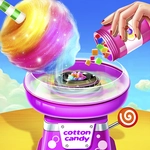
📝Cotton Candy Shop Overview
Spin fluffy clouds of sugar to order before impatient customers walk out and your little cart goes bust.
💬What is Cotton Candy Shop?
I underestimated how stressful it is to twirl cotton candy while a line of customers tap their feet. The first order looked easy: one pink cloud, one blue cloud. But the stick spun too slow, the sugar clumped, and I fumbled the second color. The kid in the queue sighed and left. Lesson learned.
The loop is simple: click to start spinning, hold to build the candy, release before it drips. Each customer wants a specific color combo and size. Get it right and coins drop; get it wrong and you lose patience points. Between rounds you can upgrade your spinner speed, stick capacity, and even add flavors. The real challenge is juggling three or four people at once while trying not to overstuff a cone. That moment when you perfectly layer green, pink, and orange without burning the sugar? Genuinely satisfying.
It's not deep, but it's addictive in the way all good shop games are. You'll tell yourself one more day, then realize an hour passed. Perfect for a quick break or a long grind. No downloads, no fuss — just you, a spinning machine, and a horde of sugar-craving customers.
👥How to Play Cotton Candy Shop
Mouse Control
✨Game Tips
Watch the order bubble carefully before you start spinning — mixing up pink and purple will cost you coins.
Upgrade spinner speed first; it's the biggest bottleneck when multiple customers show up.
Don't overfill the cone. If flakes start flying off, you've gone too far and the order fails.
Stand near the front of your cart when idle so you can grab the next order faster.
Ignore the line for a second to dump a ruined cone — letting one customer leave is better than wasting time on a lost cause.
🔧FAQ
Q: Is Cotton Candy Shop free to play?
A: Yes, it's completely free in your browser with no paywalls.
Q: Can I play Cotton Candy Shop on mobile?
A: Yes, the game works on phones and tablets using touch controls.
Q: Do I need to download anything to play?
A: No downloads needed — just open the page and start spinning.
Q: Does Cotton Candy Shop save my progress?
A: It depends on your browser, but most HTML5 versions keep your upgrades between sessions.
Q: What are the controls?
A: Use your mouse or finger to click and hold the spinner, then release to stop.
Q: Is Cotton Candy Shop kid-friendly?
A: Absolutely, there's no violence or inappropriate content — just sugary fun.