
Counter Craft Classic
Play Count0
Published2025-02-04
Supported DevicesPC
CategoryAction & Fighting
Rating★★★★★5.0Rate this game
📝Counter Craft Classic Overview
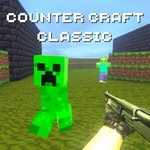
Blocky corridors echo with footsteps, and the rifle kicks like a mule — Counter Craft Classic drops you into Minecraft-flavored Counter-Strike chaos.
💬What is Counter Craft Classic?
I booted up Counter Craft Classic expecting a goofy Minecraft skin over a basic shooter, and five rounds later I was still crouch-walking those blocky corridors, flashlight flicking at every corner. That's the hook: it looks like a sandbox toy box, but it plays like a stripped-down Counter-Strike. Movement is WASD, with shift to sprint, C to crouch, and space to jump. Right mouse button does double duty — if you're holding a gun, it aims down sights, but on some weapons it's a flashlight that blinds enemies in dark tunnels. The mouse wheel swaps between your arsenal, which usually starts with a pistol and expands to rifles, shotguns, and the occasional SMG. Reload with R; don't forget, because that click when you're empty is a death sentence.
The maps are simple but functional — think narrow hallways, open courtyards, and crate stacks that block sightlines. Grenades (G) are your best friend for clearing rooms, but the fuse feels just long enough to make you second-guess every throw. I learned to bounce them off walls instead of lobbing them straight in. The AI isn't a pushover either; if you sprint around like a maniac, they'll pre-fire the corner and drop you before you even see the blocky face. Crouching reduces noise and tightens your aim, so use it when you're holding an angle. The pixelated gibs and jarring headshot sound are oddly satisfying. You won't find depth or progression here — just pick a weapon, learn the spawns, and see how long you can survive.
👥How to Play Counter Craft Classic
WASD - Move. LMB - Shoot. RMB - Aim/Flashlight. Space - Jump. R - Reload. G - Grenade. C - Crouch. Shift - Run. Mouse Wheel - Change Weapon.
✨Game Tips
Keep your crosshair at neck height when rounding corners — a single headshot ends fights instantly.
Use shift to sprint between covers, but remember it makes noise; crouch-walk when you suspect someone's nearby.
The right mouse button isn't just for aiming — on dark maps the flashlight blinds enemies, so flash it before you fire.
Bounce grenades off walls to hit campers behind crates instead of risking a straight throw back at you.
Swap weapons with the mouse wheel instead of tapping number keys; it's faster when you're caught mid-reload.
🔧FAQ
Q: Is Counter Craft Classic free to play?
A: Yes, it's completely free in your browser — no hidden fees or premium unlocks.
Q: Can I play Counter Craft Classic on mobile?
A: It's designed for desktop with keyboard and mouse, so mobile controls are not supported well. Use a PC for the best experience.
Q: Do I need to download anything to play?
A: No download required. The game runs on HTML5 directly in your web browser as long as you have a stable internet connection.
Q: What are the basic controls?
A: WASD to move, left mouse button to shoot, right mouse button to aim or use flashlight, space to jump, R to reload, G for grenades, C to crouch, and shift to run.
Q: Is Counter Craft Classic multiplayer?
A: The classic version focuses on single-player against bots. Some online servers may exist, but this unblocked version is primarily solo.
Q: Will my progress be saved?
A: No, this is an arcade-style shooter with no save system. Each round starts fresh, so just focus on having fun.