
Crab Penalty
Play Count0
Published2024-10-30
Supported DevicesPC + Mobile
CategoryArcade & Classic
Rating★★★★★5.0Rate this game
📝Crab Penalty Overview
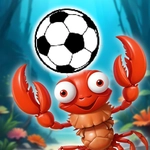
Swipe the ball and watch it curl past a crabby goalkeeper — penalty shootouts get weird when you're playing as a crustacean with serious shooting skills.
💬What is Crab Penalty?
Penalty shootouts have never looked this ridiculous. You're a crab — claws, shell, the whole deal — stepping up to take penalties against a goalkeeper who's just as crabby. The controls are dead simple: click and drag or swipe, then release to send the ball flying. But simple doesn't mean easy. The keeper reads your windup, the ball bends based on swipe speed and angle, and the goal shrinks when you're trying to place a shot with pincers.
My first few attempts went exactly how you'd expect: straight at the keeper, wide, over the bar. Then I noticed something — a quick, low swipe into the corner beats a huge, telegraphed swing nearly every time. The physics aren't realistic, but they're consistent. On mobile, the swipe feels natural; on desktop, the mouse drag gives you a touch more precision. Either way, you'll catch yourself muttering at the screen when the keeper claws away what looked like a certain goal. (Yes, I yelled at a pixel crab. No regrets.)
It's the kind of game you open for two minutes and end up playing for twenty. No menus, no tutorials, no loading screens — just you, a ball, and a crustacean with a grudge. The silly premise hides a genuinely satisfying skill curve. Miss by an inch and you'll want one more try. Score a top-corner screamer and you'll chase that feeling for the next ten shots. There's no scoring limit either, so you can rack up goals until your thumb gets tired. If you need a break from serious games, this is the perfect palate cleanser.
👥How to Play Crab Penalty
Desktop: Click the mouse left button and swipe the ball .
Mobile: Swipe the ball into the goal.
✨Game Tips
Swipe shorter and faster for low drives into the corner.
Watch the keeper's stance — if he leans left, aim right.
Don't over-swipe; huge windups usually balloon over the bar.
On desktop, use a small mouse movement for more accurate placement.
Practice aiming for the side netting — it's the hardest spot for the keeper to reach.
If you miss, note where the keeper dived and adjust your next shot.
🔧FAQ
Q: Is Crab Penalty free to play?
A: Yes, Crab Penalty is completely free on this unblocked games site.
Q: Can I play Crab Penalty on my phone?
A: Yes, the HTML5 version works on mobile browsers with touch swipe controls.
Q: Do I need to download anything to play?
A: No downloads required — just open the page in your browser and start shooting.
Q: What are the controls for Crab Penalty?
A: Click and drag or swipe the ball toward the goal, then release to shoot.
Q: Is Crab Penalty suitable for kids?
A: Absolutely, it has simple controls and no violence beyond cartoon crab antics.
Q: Why can't I score in Crab Penalty?
A: Try shorter swipes and aim for corners — big swings often miss high or wide.