
Craft Runner - Mine Rush
Play Count0
Published2021-05-06
Supported DevicesPC + Mobile
CategoryAction & Fighting
Rating★★★★★5.0Rate this game
📝Craft Runner - Mine Rush Overview
Dodge, weave, and blast through a voxel mine at full tilt — one wrong lane change and you're a pile of pixels.
💬What is Craft Runner - Mine Rush?
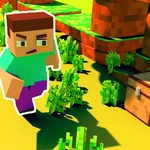
Craft Runner - Mine Rush throws you onto a three-lane track carved straight through a blocky, resource-rich cavern. It's an endless runner with a mining twist: you're sprinting forward, dodging minecarts, rock piles, and sudden gaps, while grabbing ores that line the track. The controls are simple enough on paper — swipe left/right to change lanes, hold to brake, swipe up for nitro — but the game gets brutal fast. I kept coming back after each death because the run always feels just one more attempt away from a new high score.
The mine setting gives it a distinct feel compared to other runners. The obstacles don't just slide in; they emerge from the terrain, which means you have to read the track ahead instead of reacting at the last second. I clipped a minecart while lunging for a ruby on the edge and instantly learned that greed kills. The nitro boost is the real differentiator though. You can use it to blast through gaps that would otherwise close on you, or to grab a chain of ores before the lane shifts. It adds a layer of risk-reward: do you save it for a guaranteed escape or burn it for more points?
Visually, it's polished voxel style, but performance matters more here because speed ramps up quickly. The sound design isn't standout, but the crunch of impacts and the whoosh of nitro keep you in the zone. If you like runners that punish hesitation but reward bold lane switches, this one scratches that itch without needing any downloads.
👥How to Play Craft Runner - Mine Rush
Swipe left or right to change the lane, tap and hold to brake and swipe up to use nitro on mobile. Press left or right key to change the lane, press space key to brake and press up key to use nitro on desktop.
✨Game Tips
Master the hold-to-brake move early — it's not just for slowing down, it'll save you from instant death in tight obstacle clusters.
Grab nitro pickups but resist the urge to spam them on straight sections; they hit hardest when you're boxed in by minecarts.
Keep your eyes on the track's shadows — incoming obstacles often cast shadows before they fully pop into view.
Stay centered unless you spot a rare ore on a side lane within the next second; the middle gives you the most reaction time.
Don't chase every shiny thing. Skipping a side lane ore to stay alive for the next 500 meters is almost always the smarter play.
If you're on desktop, use the arrow keys instead of space — up for nitro feels more immediate than reaching from the spacebar.
🔧FAQ
Q: Is Craft Runner - Mine Rush free to play?
A: Yes, it's completely free in your browser with no paywalls or premium tiers.
Q: Can I play Craft Runner - Mine Rush on mobile?
A: Yes, the game supports touch controls — swipe to change lanes, hold to brake, swipe up for nitro.
Q: Do I need to download anything to play?
A: No downloads or installs needed. It runs directly in your web browser as an HTML5 game.
Q: What are the desktop controls?
A: Use left/right arrow keys to change lanes, spacebar to brake, and up arrow to activate nitro.
Q: Does Craft Runner - Mine Rush save my high score?
A: Your best score saves locally in your browser, but clearing browser data will reset it.
Q: Is an internet connection required?
A: Yes, you need an active connection to load the game since it's hosted online as an unblocked title.