
Crazy Car Parking Free
Play Count0
Published2022-05-24
Supported DevicesPC
CategoryArcade & Classic
Rating★★★★★5.0Rate this game
📝Crazy Car Parking Free Overview
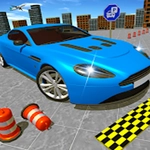
Squeeze into impossibly tight parking spots, dodge traffic cones, and race the clock in this brutally addictive arcade parking test.
💬What is Crazy Car Parking Free?
The first time I clipped a barrier while reversing into a space the size of a postage stamp, I swore loudly and hit restart. Then I did it again. Crazy Car Parking Free has that pull-your-hair-out quality — each level looks simple until you realize the camera angle hides a sneaky pillar or the timer starts ticking faster than you can straighten the wheel.
Controls are pure keyboard: arrows or WASD to steer, accelerate, and brake, with a reverse gear that actually punishes sloppy inputs. You'll learn to feather the throttle, because flooring it just slams you into a wall and resets the whole attempt. The satisfaction comes from a clean park — no bumper taps, no cone grazes, just a perfectly aligned rectangle inside the glowing rectangle.
What kept me coming back was the escalating absurdity. Early spots are wide enough for a truck but later ones demand millimeter precision, sometimes with moving obstacles or blind corners. It's the kind of game you open for five minutes and close forty later, still convinced the next run will be flawless. If you've ever parallel parked in real life and felt a tiny surge of pride, this scratches that itch without risking your actual bumper.
👥How to Play Crazy Car Parking Free
keyboard Controls
✨Game Tips
Tap the brake lightly instead of slamming it — momentum will betray you in tight spots.
Line up your side mirror with the painted line before you begin reversing; that reference point saves seconds.
Don't trust the default camera angle. Adjust your position mentally before you commit to a turn.
Use short forward-and-back adjustments rather than one long reverse, especially in narrow alleys.
When a level gives you extra time, spend it planning your angle, not just guessing.
If you hit a cone or wall on approach, restart instantly — fixing a bad angle wastes more time than starting clean.
🔧FAQ
Q: Is Crazy Car Parking Free free to play?
A: Yes, it's completely free in your browser with no paywalls or locked levels.
Q: Can I play Crazy Car Parking Free on mobile?
A: The browser version supports touch, but keyboard controls give you much tighter steering precision.
Q: Do I need to download anything to play?
A: No downloads or installs needed. Just open the page and start driving.
Q: What are the controls?
A: Arrow keys or WASD: up/W accelerates, down/S brakes/reverses, left/right steer.
Q: Does Crazy Car Parking Free work on school Chromebooks?
A: Yes, it runs in HTML5 so it works on any modern browser, including Chromebooks.
Q: How many levels are there?
A: The game has dozens of increasingly difficult parking scenarios, but the exact count varies by update.