
Crazy Climber 3D
Play Count0
Published2021-08-04
Supported DevicesPC + Mobile
CategoryArcade & Classic
Rating★★★★★5.0Rate this game
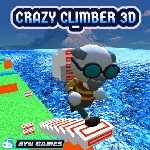
📝Crazy Climber 3D Overview
Scale a towering skyscraper with nothing but your reflexes and a stubborn refusal to look down — every slip means a spectacularly long drop.
💬What is Crazy Climber 3D?
Remember those cheap arcade machines where one mistimed button press sent you plummeting? Crazy Climber 3D is that feeling stretched into a vertical nightmare. You're scaling a building that seems to hate you personally. Ledges crumble, windows explode outward, and the wind picks up exactly when you're reaching for the next grip. The 3D perspective makes the height feel real — my palms actually got sweaty during the final stretch.
The controls are deceptively simple: move side to side, hit the climb button to launch upward. But timing is everything. That spinning vent cover isn't just decoration; it'll smack you off the wall if you climb at the wrong moment. I lost count of how many times I thought I had a clear path, only for a random pigeon (yes, really) to throw off my rhythm. The game doesn't hold your hand. You'll die. A lot. But each run teaches you the pattern just a little better — the ledge above the window always shifts left, so you bait it out and climb right.
It's the kind of game where you tell yourself "one more try" and suddenly an hour's gone. The difficulty curve is fair but unforgiving, and there's a genuine rush when you finally clear that impossible section. Perfect for quick sessions at school or work, though you might catch yourself tilting your head to "help" your character dodge.
👥How to Play Crazy Climber 3D
For PC:
Move right: D or right arrow
Move left: A or left arrow
Climb: Space bar
For MOBILE:
Move right: Swipe right
Move left: Swipe left
Climb: Click black area
✨Game Tips
Climb only when the path directly above you is clear — waiting half a second beats a long fall.
On mobile, tap the black area on the opposite side of the wall to quickly switch direction.
Use the edge of a ledge as a temporary safe spot to plan your next three moves.
Don't watch your character's hands; focus on the outline of the building to spot incoming obstacles.
If you hear a cracking sound, move immediately — that grip is about to break.
The climb button doesn't need to be spammed; hold it for a steady, predictable ascent.
🔧FAQ
Q: Is Crazy Climber 3D free to play?
A: Yes, it's completely free with no paywalls or hidden fees.
Q: Can I play Crazy Climber 3D on my phone?
A: Absolutely, the mobile version uses swipe left/right and a tap to climb.
Q: Do I need to download or install anything?
A: No downloads needed — it runs right in your browser.
Q: Is Crazy Climber 3D unblocked at school?
A: Usually yes, since it's an HTML5 game hosted on unblocked sites.
Q: What are the PC controls for Crazy Climber 3D?
A: Move with A/D or arrow keys, and press the space bar to climb.
Q: Does the game work on slow internet connections?
A: Once it loads, the game runs smoothly offline in the same tab.