
Crazy Difficult Game
Play Count0
Published2024-11-27
Supported DevicesPC
CategoryPuzzle & Thinking
Rating★★★★★5.0Rate this game
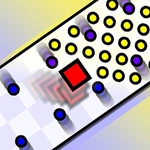
📝Crazy Difficult Game Overview
You think you know precise platforming? This game lures you in with simple geometry then punishes every tiny miscalculation.
💬What is Crazy Difficult Game?
Crazy Difficult Game starts by laughing at your confidence. The first stage looks like a gentle warm-up: a few floating blocks, one slow-spinning blade. Then you touch the block's edge and die instantly. That's the whole attitude. Every level is a precision puzzle where the real obstacle isn't the hazard—it's your own twitchy fingers. I spent a solid fifteen minutes on one rotating spike corridor before I realized the safe path was actually to not move at all during a specific beat.
Controls are bare bones: WASD or arrow keys, plus an optional joystick toggle in the settings for touchscreens. No jumps, no dashes, no mercy. That minimal setup means you can't blame the game when you fail. You edged too far, you hesitated half a second too long, or you trusted a visual gap that wasn't actually there. It's brutal, but the instant respawn keeps you hooked. I'd die, restart, die again in the same spot, and still feel like I was learning the exact pixel I needed to clear.
Some sections feel outright unfair on first attempt. A block shifts, a blade speeds up, and you're left staring at the death screen wondering if the layout changed while you weren't looking. It didn't—you just missed the wind-up animation. Once you start reading those tiny tells, the game transforms from rage bait into a weirdly meditative rhythm. You'll hate it, then you'll respect it, then you'll beat a level and feel like a genius. That's the circle of Crazy Difficult Game.
👥How to Play Crazy Difficult Game
Controls:
WASD or ARROW KEYS
You can also enable Joystick control from the settings.
✨Game Tips
Turn on the joystick in settings if you're on mobile—it's far more precise than swiping.
Watch each hazard loop twice before moving; the timing is predictable, so memorize the beat.
Use tiny taps on the movement keys instead of holding them to creep forward safely.
The instant respawn is a feature, not a punishment: treat each death as a free checkpoint of knowledge.
Look for visual wind-up cues on blades and shifting blocks—they always telegraph their next move.
If a straight path seems impossible, check the edges; sometimes the "obvious" route is a trap.
🔧FAQ
Q: Is Crazy Difficult Game free?
A: Yes, it's completely free to play in your browser with no payment walls.
Q: Can I play Crazy Difficult Game on mobile?
A: Yes, it works on mobile browsers and you can enable the joystick in settings for better touch control.
Q: Do I need to download anything to play?
A: No downloads. It runs directly in your web browser as an HTML5 game.
Q: Why is the game so frustratingly hard?
A: The levels are designed around precise movement and timing. You'll die a lot, but that's the intended challenge.
Q: Are there checkpoints between hard sections?
A: Checkpoints vary by level. Some stages have them, others force you to restart from the beginning of that level.
Q: What's the best strategy to beat a level?
A: Study hazard patterns first, then move in very short taps. Don't rush—every death teaches you the exact safe zone.