
Crazy Goods Sort 3D
Play Count0
Published2025-06-10
Supported DevicesPC + Mobile
CategoryPuzzle & Thinking
Rating★★★★★5.0Rate this game
📝Crazy Goods Sort 3D Overview
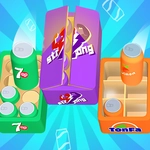
Stack, match, and clear shelves of mismatched goods in this oddly satisfying 3D sorting frenzy that gets frantic fast.
💬What is Crazy Goods Sort 3D?
You know that feeling when your pantry is a disaster and you just want to shove everything into random boxes? Crazy Goods Sort 3D takes that chaos and makes it the entire game. Items spill out onto shelves in messy piles—cans, bottles, toys, fruit—and you click or tap to pick them up, then drop them onto matching slots. Sounds simple. It isn't.
The real kicker is the space pressure. Each shelf has a few spots, and if you stack the wrong item, you block the one you actually need underneath. I lost a solid minute once because a single green apple was sitting under three red cans and I kept moving the wrong thing. The 3D view helps you see around corners, but it also hides items behind taller junk, so you’ll spin the camera like a lunatic looking for that last blue mug. There’s no timer in some modes, but the clutter grows faster than you can organize, and that’s where the addictive loop kicks in—just one more level to get it perfectly sorted.
Visually it’s bright and clean, almost like a toy store exploded in a warehouse. The controls are dead simple: left-click or tap to grab, move, release. No keyboard gymnastics. But the mental load ramps up because you can’t just sort by color; sometimes it’s by type, size, or even tiny labels that you have to squint at. Perfect for killing five minutes between classes, but don’t blame me if you look up and an hour’s gone.
👥How to Play Crazy Goods Sort 3D
Mouse click or tap to play
✨Game Tips
Clear the top layers first—don’t dig for buried items unless you absolutely have to.
Use the camera rotate button (usually right-drag or a button) to look behind tall stacks before making a move.
When a shelf is full except one spot, focus on completing that category to free up space; partial matches waste slots.
If you see three identical items close together, grab them in sequence immediately before new items drop and block access.
Don’t panic when items start piling up—mismatched stacks can be fixed, but a full shelf with no empty slots means restart.
🔧FAQ
Q: Is Crazy Goods Sort 3D free to play?
A: Yes, it's completely free. No paywalls or premium features.
Q: Can I play Crazy Goods Sort 3D on my phone?
A: Absolutely. The game works on mobile browsers with tap controls.
Q: Do I need to download anything?
A: No downloads. It runs directly in your browser as an HTML5 game.
Q: Is Crazy Goods Sort 3D unblocked at school?
A: Usually yes, since it's hosted on unblocked game sites. But school filters can vary.
Q: How do I control the game?
A: Use mouse click or tap to pick up and place items. You can rotate the view with right-click drag or on-screen buttons.
Q: Is this game suitable for young kids?
A: Yes, it has no violence or inappropriate content. It's family-friendly and good for teaching sorting skills.