
Crazy M1neWorld
Play Count0
Published2021-04-06
Supported DevicesPC
CategoryArcade & Classic
Rating★★★★★5.0Rate this game
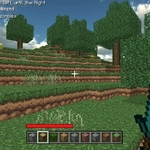
📝Crazy M1neWorld Overview
Grab your pickaxe, wander a blocky sandbox, and tear down or stack up cubes to build whatever pops into your head in Crazy M1neWorld.
💬What is Crazy M1neWorld?
I'll confess, I expected a hollow Minecraft knockoff. But Crazy M1neWorld hooks you with that same meditative loop: wander, dig, stack, repeat. You move with WASD, swing your view with the mouse, and the left button erases cubes while the right drops new ones. Tab or ESC pulls up a simple menu where you can tweak settings or hop into a different little world. There's no story, no quests, no pressure. Just you and an infinite-looking grid of blocks begging to be rearranged.
The real fun starts when you stop 'playing' and start building. I spent a good chunk of time hollowing out a cave, then realized I could flood it by deleting the ceiling and letting strange block-shaped water pour in? Not actual water, but the way the voxel chunks break apart feels tactile—each cube pops with a satisfying little burst, and the block you place snaps to the grid with a soft thunk. If you've ever wanted to test your spatial brain, this is it. It's not a survival thing; there's no hunger bar or creepers. Instead, you get a pure sandbox toy where mistakes are free and demolition is half the joy.
I won't pretend it's polished. The textures are basic, the menu is barebones, and you'll occasionally clip through a wall if you move too fast. But that jank is part of the charm, especially on a school Chromebook when you need a hit of creative destruction without downloading anything. Give it ten minutes; you'll either shrug and close the tab, or glance at the clock and wonder where your afternoon went.
👥How to Play Crazy M1neWorld
walk "WASD"
Menu "Tab or ESC"
mouse " destroy cube and add cube"
✨Game Tips
Left-click smashes a block instantly, but hold it down while moving to carve tunnels faster.
Right-click places a block on the face you're looking at—use it to climb by stacking under your feet.
Press Tab or ESC to open the menu and switch between the small set of block types available.
Build a quick tower of dirt to get a bird's-eye view of the area; then knock it down for fun.
Walk backward while placing blocks to make a bridge without falling into pits.
Don't bother hoarding resources—there's no inventory limit, so just experiment with shapes.
🔧FAQ
Q: Is Crazy M1neWorld free to play?
A: Yes, it's completely free in your browser with no paywalls or hidden fees.
Q: Can I play Crazy M1neWorld on my phone?
A: It works in mobile browsers, but the mouse controls are tricky on touchscreens—use a desktop if possible.
Q: Do I need to download anything to play Crazy M1neWorld?
A: No downloads or installs required. Just open the game page and it loads instantly.
Q: What are the controls for Crazy M1neWorld?
A: Use WASD to walk, mouse to look, left-click to destroy cubes, right-click to add cubes, and Tab/ESC for menu.
Q: Is Crazy M1neWorld safe to play at school?
A: Yes, it runs in a standard browser and is unblocked, so it works on most school networks.
Q: Does Crazy M1neWorld save my builds?
A: It doesn't have a save system—your creations disappear when you close the tab, so screenshot your work.