
Crazy Rocket
Play Count0
Published2021-06-01
Supported DevicesPC
CategoryPuzzle & Thinking
Rating★★★★★5.0Rate this game
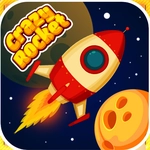
📝Crazy Rocket Overview
Line up the angle, tap the boost, and hold your breath as the crazy rocket wobbles toward a target that seems just out of reach every single run.
💬What is Crazy Rocket?
Crazy Rocket doesn't care about your patience. You click, the rocket sputters, and then you're chasing the perfect arc before the fuel runs out. It looks simple — a small ship, a few obstacles, a target zone — but the timing between your arrow keys and that click becomes everything. I've had runs where I nudged the nose half a degree and sailed right past the goal, then spent ten more attempts overcorrecting into a wall.
The puzzle side creeps in fast. Moving barriers, gravity wells, bounce pads — each one changes how your rocket handles. You can't just aim; you have to feel the acceleration. A short tap after a sharp turn slingshots you forward, while holding too long flips you into a spin. It's the kind of game where a single late input wrecks the whole sequence, and you'll happily restart because the fail state is instant and the reload is quicker than blaming the arrow keys. If you want that one-more-try itch on a touchscreen or keyboard, this delivers.
👥How to Play Crazy Rocket
arrow + click or tap
✨Game Tips
- Release the arrow key a split second before you click, not at the same time — that tiny delay straightens your rocket.
- On gravity well levels, aim wide early; the pull gets stronger near the center, so treat it like a slingshot, not a lane.
- Use short taps instead of long holds when you're close to the goal; full boost often overshoots into spikes.
- Watch the fuel meter in the corner — it drains faster when you're turning, so plan straight stretches.
- If a bounce pad is in your path, hit it at a shallow angle to keep forward momentum instead of bouncing straight up.
- Don't stare at the target; focus on your rocket's nose and let the target drift into alignment naturally.
🔧FAQ
Q: Is Crazy Rocket free to play?
A: Yes, the game is completely free online. You don't need to pay or create an account.
Q: Can I play Crazy Rocket on my phone?
A: Yes, tap controls work on mobile browsers, and the game runs smoothly on most phones.
Q: Do I need to download anything to play Crazy Rocket?
A: No download needed. It's an HTML5 game that loads right in your browser.
Q: What are the controls for Crazy Rocket?
A: Use arrow keys or click/tap to steer and boost your rocket toward the goal.
Q: Is Crazy Rocket suitable for kids?
A: The game is family-friendly, with simple mechanics and no violence.
Q: Can I save my progress in Crazy Rocket?
A: Progress may not save between sessions, but each level is quick to retry.