
Crazy Runner in City
Play Count0
Published2021-07-30
Supported DevicesPC + Mobile
CategoryArcade & Classic
Rating★★★★★5.0Rate this game
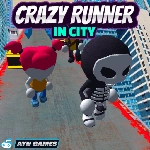
📝Crazy Runner in City Overview
Swipe, dodge, and slam into near misses as you sprint through a neon-lit city that never stops throwing obstacles at you.
💬What is Crazy Runner in City?
I love that this runner doesn't pretend to be complicated. You're sprinting down a crowded urban corridor, and the game wastes zero time throwing cars, barriers, and low-hanging signs in your path. Steer with A/D or swipe left/right on mobile — that's the whole control scheme, and it's all you need. Each run starts mellow, but 30 seconds in the traffic packs tighter and the gaps get meaner. You'll start baiting near misses just to feel the rush.
The moment that got me hooked: I slipped between a delivery truck and a streetlamp with maybe a hair's width on either side, then immediately had to cut back right because a city bus was parked diagonally across two lanes. That split-second decision making is where the game shines — it's not about memorizing patterns, it's about reading the road fast and trusting your reflexes. The city backdrop is bright and detailed enough to feel alive, but never so busy that obstacles blend in.
If you're chasing leaderboard scores or just want five chaotic runs during a break, it fits both. Mobile swipe controls are surprisingly responsive, and the endless structure means every death is just an excuse to go again. Fair warning: the speed ramps up gradually, so don't get comfortable with the opening stretch.
👥How to Play Crazy Runner in City
PC
Press A/D or left/right arrow to steer left/right
Mobile
Swipe left/right to steer left/right
✨Game Tips
Steer with tiny taps rather than hard swipes — the lane changes happen fast, but overshooting is what kills you.
Glance ahead at the next two or three obstacles instead of fixating on the one right in front.
Near misses feel great, but don't risk a gap you aren't 80% sure about. The points for a clean run beat the gamble.
On mobile, hold your thumb slightly above the screen so you can swipe without covering the road.
The first 20 seconds are slower — use them to memorize how wide your runner's lane changes are.
If a bus or truck is coming, commit to your dodge early. Changing direction late usually ends with clipping a corner.
🔧FAQ
Q: Is Crazy Runner in City free to play?
A: Yes, it's completely free in your browser with no hidden paywalls.
Q: Can I play Crazy Runner in City on my phone?
A: Yes, the game supports mobile swipe controls and runs well in mobile browsers.
Q: Do I need to download anything to play?
A: No downloads or installs needed — just open the page and start running.
Q: What are the controls for Crazy Runner in City?
A: Use A/D or left/right arrow keys on PC, or swipe left/right on touch screens.
Q: Does Crazy Runner in City have any levels or is it endless?
A: It's an endless runner, so the city keeps going and the speed increases over time.
Q: Can I play Crazy Runner in City at school or work?
A: Since it's an unblocked browser game, it usually works on networks that allow the site.