
Crazy Shark
Play Count0
Published2020-06-23
Supported DevicesPC + Mobile
CategoryAction & Fighting
Rating★★★★★5.0Rate this game
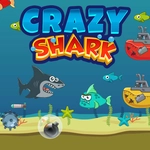
📝Crazy Shark Overview
Rip through the waves as a bloodthirsty shark, blasting everything in your path with X while dodging harpoons and rival sea monsters.
💬What is Crazy Shark?
The first time I held down X and watched my shark spit a stream of glowing projectiles at an oncoming trawler, I knew this wasn't your average ocean sim. You're a predator with a trigger finger, weaving between torpedoes and nets while unloading on anything that moves. Arrow keys steer, X fires—simple on paper, but the screen fills up fast with mines, squid, and angrier sharks that all want a bite of you.
What kept me coming back was the rhythm of survival. You can't just hold fire and pray; you've got to dance around hazards and pick off the fastest threats first. Some enemies drop health or power-ups when they pop, so it pays to be aggressive. I've had runs where I was one hit from death, then snagged a triple-shot upgrade and cleared the next wave in a frenzy. That swing from panic to unstoppable is the whole appeal.
If you like old-school arcade shooters with a mean streak, this scratches that itch. It's not deep, but it doesn't pretend to be. Just you, a shark with a gun, and a whole lot of underwater chaos. Don't expect a tutorial—dive in, die a few times, and learn which enemies to respect. I still flinch when a jellyfish drifts too close.
👥How to Play Crazy Shark
Use arrow keys to move, X to shoot.
✨Game Tips
Hold X for continuous fire instead of mashing—your thumb will thank you and your accuracy won't suffer.
Stay near the middle of the screen; hugging the edges leaves you zero room to dodge incoming projectiles.
Kill pufferfish first. Their bullet spread covers half the arena and punishes you for lingering.
When a large enemy explodes, don't rush to grab the drop until you're sure no mines are drifting into your path.
Tap arrows for fine positioning. Long holds overshoot, and overshooting means a harpoon to the gills.
If you hear a low rumble, a boss is coming. Save any spread-shot power-up you find for that moment.
🔧FAQ
Q: Is Crazy Shark free to play?
A: Yes, it's completely free on unblocked games sites. No hidden paywalls.
Q: Do I need to download anything to play Crazy Shark?
A: No download needed. It runs in your browser as an HTML5 game.
Q: Can I play Crazy Shark on my phone?
A: Yes, it works on mobile browsers. The touchscreen shows virtual arrow keys and an X button.
Q: What are the controls for Crazy Shark?
A: Use arrow keys to move your shark and press X to shoot. That's the entire control scheme.
Q: Is Crazy Shark unblocked at school?
A: Usually yes on unblocked game directories. Some school networks may still block the site itself.
Q: How do I pause Crazy Shark?
A: Press P or click the pause icon on screen. The game pauses instantly so you can take a breather.