
CrazyCars
Play Count0
Published2021-11-29
Supported DevicesPC
CategoryDriving & Racing
Rating★★★★★5.0Rate this game
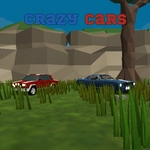
📝CrazyCars Overview
Grab the wheel and tear through neon streets in CrazyCars, where every corner is a dare and the handbrake is your best friend.
💬What is CrazyCars?
I lost an hour to CrazyCars the first time I booted it up, and I'm not even sorry. The moment you tap W, the engine snarls and you're off—but unlike realistic sims, this one runs on pure arcade physics that beg you to throw the car sideways. Holding space for the handbrake mid-corner feels exactly like it should: a little too easy to overdo, a little too fun to care. I spent ten minutes just doing donuts in a parking lot before I even looked for the race. And the mouse-controlled camera? That becomes a whole second game when you're trying to line up a drift while glancing over your shoulder to see who's catching up.
You will crash. A lot. The R key becomes muscle memory after the third time you clip a barrier and end up doing a slow-motion barrel roll into a tree. But that's the charm—CrazyCars doesn't punish you with loading screens or repair menus. You reset instantly and throw yourself back into the same corner, convinced this time you'll nail the line. The Esc menu is where you go when you finally remember you have actual responsibilities, but even then you'll catch yourself wondering if one more lap would hurt. Short answer: it won't.
👥How to Play CrazyCars
keys w, a, s, d or arrow keys - move
Mouse - rotate the camera
Space - handbrake
r - restart the machine
esc - bring up the menu
✨Game Tips
Use short taps on the handbrake instead of holding it down—full lock will spin you out 9 times out of 10.
Rotate the camera before a tight corner so you can spot the racing line early.
If you land on your roof, don't wait: hit R immediately to reset faster than waiting for physics.
Mastering the W and S rhythm for throttle control stops you from bouncing off walls after jumps.
Take a lap in free drive first to learn which barriers are solid and which are just decorations—not all walls are equal.
🔧FAQ
Q: Is CrazyCars free to play?
A: Yes, it's completely free in your browser. No payment or subscription needed.
Q: Can I play CrazyCars on mobile?
A: The desktop controls (WASD, mouse, space) are best experienced on a keyboard. Mobile touch may not be fully supported.
Q: Do I need to download CrazyCars to play?
A: No downloads required. It runs directly in your browser as an HTML5 game.
Q: What are the controls for CrazyCars?
A: Use WASD or arrow keys to drive, mouse to rotate camera, space for handbrake, R to reset, Esc for menu.
Q: How do I restart the car if I flip over?
A: Press R to instantly reset your car to the track, no waiting for physics to settle.
Q: Is there a pause or menu in CrazyCars?
A: Press Esc to bring up the game menu where you can adjust settings or restart the race.