
CrazyCraft
Play Count0
Published2021-03-01
Supported DevicesPC
CategoryAction & Fighting
Rating★★★★★5.0Rate this game
📝CrazyCraft Overview
Hop into a blocky world where you can craft gear, drive cars, and chat with other players roaming the map.
💬What is CrazyCraft?
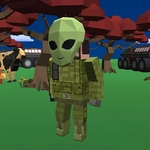
CrazyCraft drops you into a chunky 3D sandbox that feels like a stripped-down Minecraft clone with extra chaos. You spawn in a blocky landscape, and within seconds you're either punching trees (well, maybe not punching—more like walking into blocks) or hopping into a car that someone left parked near the spawn. The first time I played, I spent ten minutes just driving around, smashing into trees and watching the car flip over. It's stupidly fun.
The controls are simple but not immediately obvious. WASD moves your character or drives the car depending on what you're doing. Tab opens a menu that shows your stats and inventory. Q brings up the crafting menu—you can make basic tools, blocks, and maybe some weapons if you gather enough stuff. E is the magic key: when you see a little key icon pop up near a car, press E to hop in. And C toggles a third-person view so you can actually see your blocky self running around. Enter opens the chat, which is where the multiplayer part gets interesting. You'll run into other players building structures, driving around, or just messing with each other. It's a public server vibe, so expect both friendly builders and trolls.
There's no real goal. You make your own fun. I found myself crafting a bunch of blocks and building a small tower while another player kept honking a car horn at me. The crafting system is basic—enough to keep you busy but not so deep that you need a wiki. The 3D view (C) is nice for screenshots or just checking out your skin. It's not polished, but that's part of the charm. If you want a quick, free, browser-based multiplayer sandbox, CrazyCraft scratches that itch without any downloads.
👥How to Play CrazyCraft
WASD - Move character or drive car
Tab - menu
Q - Open menu craft
E - Enter car when show Key icon
C - Show 3d character
Enter - open and send message chat
✨Game Tips
Press E when you see the key icon to enter a car quickly—don't waste time clicking around.
Use Q to open the crafting menu early; you'll need basic tools to gather materials faster.
Toggle C for a third-person view when driving; it helps you avoid flipping on hills.
Keep Tab open to check your inventory and see what you've collected without pausing.
Chat with Enter, but watch out for trolls—stick to building near friendly players.
If a car is stuck, just leave it and find another; respawn is easier than pushing.
🔧FAQ
Q: Is CrazyCraft free to play?
A: Yes, CrazyCraft is completely free to play in your browser. No payment needed.
Q: Do I need to download anything to play CrazyCraft?
A: No download required. It runs directly in your web browser using HTML5.
Q: Can I play CrazyCraft on my phone?
A: CrazyCraft is best played on desktop with a keyboard. Mobile touch controls are limited or not supported.
Q: How do I craft items in CrazyCraft?
A: Press Q to open the crafting menu. Select the item you want to craft if you have enough resources.
Q: How do I drive a car in CrazyCraft?
A: Walk near a car until you see a key icon, then press E to enter. Use WASD to drive.
Q: Can I chat with other players in CrazyCraft?
A: Yes, press Enter to open the chat box and send messages to other players on the server.