
Crossmath Challenge
Play Count0
Published2026-08-12
Supported DevicesPC + Mobile
CategoryPuzzle & Thinking
Rating★★★★★5.0Rate this game
📝Crossmath Challenge Overview
Can you make every row and column add up perfectly? Drag number tiles into the empty grid and turn scattered digits into a satisfying math grid.
💬What is Crossmath Challenge?
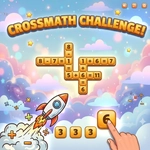
I'll admit, I opened Crossmath Challenge expecting a basic arithmetic drill. What I got was a surprisingly tense puzzle where every tile placement feels like a tiny bet. The grid looks like a crossword, but instead of words you're placing digits so each row and column forms a valid equation. Some slots come pre-filled, others stare at you empty. Your tray at the bottom holds a shuffled pile of numbers, and you drag or tap them into the cells. The first time a 9 landed perfectly to complete a vertical multiplication chain, I actually muttered 'nice' at the screen.
The strategy isn't just 'do math fast' — it's about reading constraints. A row that needs to equal 12 with two blanks and a plus sign? That narrows your choices fast. I found myself scanning the grid for cells with only one possible answer before touching the tray. Undo becomes your best friend, because sometimes you'll realize three moves later that a 4 should have gone somewhere else entirely. Shuffle rearranges the tray, which feels like a cheap trick until you're stuck staring at the same useless digits and need a fresh order to spark an idea. Hints are limited, so I hoarded them for the final stubborn cells.
What keeps me coming back is how the difficulty creeps up without feeling unfair. Early levels teach you the rhythm; later ones make you hold four possible placements in your head at once. It's a proper brain workout, the kind that makes you feel smarter after solving. And because it runs right in your browser, it's perfect for quick sessions between classes or meetings. Just don't blame me when you lose track of time.
👥How to Play Crossmath Challenge
Tap or click a tile from the tray at the bottom, then tap an empty cell in the grid to place it. You can also drag a tile directly onto a cell. Tap Undo to remove your last placement, Shuffle to reorder your tray, and Hint to auto-fill a cell (limited use
✨Game Tips
Scan for rows or columns with only one empty cell and solve those first.
Use Undo without guilt — testing a tile there and pulling it back costs nothing.
Keep mental notes on which high numbers are already placed to avoid dead-end placements.
Shuffle the tray when you feel stuck; the new order often reveals an obvious move.
Save Hints for the last few cells where the math isn't enough to disambiguate.
For division and subtraction, favor smaller numbers in the answer positions.
🔧FAQ
Q: Is Crossmath Challenge free?
A: Yes, Crossmath Challenge is completely free to play online. No hidden fees or premium unlocks.
Q: Can I play Crossmath Challenge on mobile?
A: Yes, the game works on any modern mobile browser. Tap tiles and cells to place them.
Q: Do I need to download anything to play?
A: No downloads needed. The game runs instantly in your web browser as an HTML5 game.
Q: How many hints do I get?
A: Hints are limited per level. Use them sparingly on cells that seem impossible to figure out.
Q: Does Crossmath Challenge save my progress?
A: Progress may save automatically in your browser. Avoid clearing browser data to keep your place.
Q: Is Crossmath Challenge good for kids?
A: Yes, it's a great way to practice arithmetic and logic. The early levels are easy enough for younger players.