
CrossWord
Play Count0
Published2021-08-09
Supported DevicesPC + Mobile
CategoryPuzzle & Thinking
Rating★★★★★5.0Rate this game
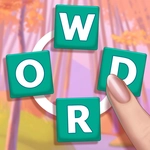
📝CrossWord Overview
Stretch your vocabulary and snap scattered letters into place before the board fills with sneaky extra vowels and false leads.
💬What is CrossWord?
Don't let the name fool you — this isn't your grandma's newspaper crossword. You get a jumbled cluster of letters scattered across the screen, all tangled together like a plate of spaghetti, and your job is to trace a path through them so they snap into a real word. The first few puzzles feel like a warm-up; then the board starts adding extra vowels and silent letters just to mess with you.
I'll admit, I got stuck on a five-letter word that had two letters I was convinced were wrong. Turned out the game lets you link letters in any direction — not just left-to-right — which completely changed how I scanned the board. That little aha moment kept me coming back. The controls are dead simple: click or drag from letter to letter. If you form a valid word, the letters light up and vanish with a satisfying little pop. If you don't, they just jiggle and wait for you to try again. No timer, no lives, just you and a bunch of letters that may or may not be hiding 'quartz'.
Word length is the real puzzle. You're not just looking for any word — each level has a set list or a minimum length, and the board might contain multiple possible paths. I found that starting from a vowel often works, but sometimes the sneaky answer begins with a consonant cluster. It's the kind of game you open for five minutes and suddenly forty minutes have passed. Perfect for a quick brain warm-up between classes or while you're waiting for something to load.
👥How to Play CrossWord
Link the letters to collect a complete word
✨Game Tips
Start scanning from vowels—they anchor most words and cut down the noise.
Don't assume words run left to right; diagonal and backward links are fair game.
If you're stuck, try three-letter words first. They sometimes unlock longer chains.
Use the board edges as visual boundaries; real words rarely cross the screen awkwardly.
Tap lightly on touchscreens—drag too fast and you'll skip a letter.
🔧FAQ
Q: Is CrossWord free to play?
A: Yes, it's completely free with no hidden paywalls or in-app purchases.
Q: Can I play CrossWord on my phone?
A: Absolutely. The touch controls work great on mobile browsers.
Q: Do I need to download anything to play CrossWord?
A: No downloads needed. Just open the page in any modern browser and start linking letters.
Q: How do I control CrossWord?
A: Click or drag from one letter to the next to form a valid word. On touchscreens, swipe your finger.
Q: What if I get stuck on a level?
A: Try scanning for short words first, or look for letters near the edges—they often start or end a word.
Q: Does CrossWord work offline?
A: No, you need an internet connection because the game runs in your browser.