
Cube Adventure Run
Play Count0
Published2023-09-22
Supported DevicesPC
CategoryArcade & Classic
Rating★★★★★5.0Rate this game
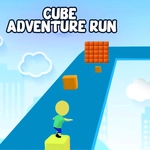
📝Cube Adventure Run Overview
Your cube sprints forward the instant the level loads, and the only thing between you and a new high score is a wall of spinning blades.
💬What is Cube Adventure Run?
I ignored the mouse option for the first few runs because arrow keys felt like the obvious way to steer a cube down a corridor. A/D works just as well, and honestly the mouse click movement has this weird tap-to-dash rhythm that grows on you. The goal is simple: keep moving, grab every cube you can, and don't get shredded by the hazards that pop up as the speed climbs. The early sections ease you in with wide lanes and gentle turns. Then the environment stops being polite.
The first time I hit a stretch where the floor collapses behind me, I panicked and clicked frantically instead of holding a strafe. That's the aha: mouse movement is about short, deliberate clicks, not mashing. Keyboard gives you finer control for weaving through spinning obstacles, but mouse is faster for snap direction changes. Experiment with both before committing.
There's no story, no upgrade tree, no reason to be here except the pure arcade loop of chasing a slightly better run. And that's exactly why I kept coming back between work calls. It loads instantly, the controls respond within a frame or two, and the cube's little bounce after a close call is weirdly satisfying. If you want a five-minute break that feels like an old-school runner with modern polish, this is it.
👥How to Play Cube Adventure Run
Use A and D or Left and Right Arrow Key to move the character.
Use the Left Mouse Button Click to Move and collect the cubes.
✨Game Tips
Stick with arrow keys for the tight weave sections; A/D works, but arrows give you more room to rest your hand.
Tap the mouse lightly for short dodges – clicking and holding will send you into a wall before you realize it.
Prioritize cubes on the inside of turns like an apex in racing; outside cubes waste time.
If a hazard pattern looks impossible, slow your rhythm and let the level's timing click before pushing speed.
When the speed ramps up, pre-position toward the center lane so you only need tiny strafes.
Don't restart instantly on death – sometimes the next run spawns with a cleaner obstacle layout.
🔧FAQ
Q: Is Cube Adventure Run free to play?
A: Yes, the game is completely free and works directly in your browser.
Q: Can I play Cube Adventure Run on mobile?
A: The game supports touchscreen controls, so mobile play is possible but keyboard gives finer precision.
Q: Do I need to download anything to play Cube Adventure Run?
A: No download is required. It runs instantly as an HTML5 game in any modern browser.
Q: What are the controls in Cube Adventure Run?
A: Use A and D or the left and right arrow keys to move. You can also click with the left mouse button to move and collect cubes.
Q: Does Cube Adventure Run save my high score?
A: High scores are usually saved locally in your browser, so they may reset if you clear your browser data.
Q: Can I play Cube Adventure Run at school or work?
A: Since it's unblocked and browser-based, you can usually play on networks that allow HTML5 games.