
Cube blocks Game
Play Count0
Published2026-04-14
Supported DevicesPC + Mobile
CategoryFun & Crazy
Rating★★★★★5.0Rate this game
📝Cube blocks Game Overview
Grab your mouse and start dragging those chunky cubes into perfect lines — one wrong move and the board turns into a mess you can't undo.
💬What is Cube blocks Game?
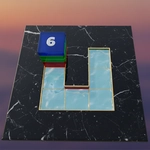
There's a particular kind of satisfaction that comes from sliding a chunky orange block into a gap you've been eyeing for the last three pieces. Cube blocks Game nails that feeling — you've got a grid, a queue of shapes, and a whole lot of ways to mess it up. Each piece you place either opens up possibilities or strangles them. I spent a solid hour just trying to beat my own score, convinced the next combo would be the one.
That's the loop: drag a block onto the 8x8 board, fill a row or column to clear it, then deal with whatever weird shape comes next. The game doesn't rush you (no timer unless you want one), so it rewards patience over panic. But patience is hard when the board starts looking like a game of Tetris gone wrong. The colors are bright and the animations are quick, so placing pieces feels responsive, almost tactile. One small thing I noticed: you can't rotate pieces. That sounds like a downside, but honestly it makes every placement feel weightier — you commit to a position and live with it.
If you're the type who plans three moves ahead, this will scratch that itch. If you just want to kill five minutes between classes, it handles that too. Don't expect upgrades or bosses or some grand progression; it's raw puzzle logic with cubes. That's all it needs to be. The high score counter in the corner becomes a personal grudge after a while.
👥How to Play Cube blocks Game
- To click any button use mouse
✨Game Tips
• Don't hoard the big 3x3 squares — place them early when the board is open.
• Keep an eye on the next piece preview. If you see a long I-block, save a vertical column for it.
• Clear vertical lines first. Horizontal clears are easier to trigger accidentally, but verticals free up columns.
• If a corner gets clogged, stop trying to fix it. Build elsewhere and let a lucky clear open it up.
• No rotation means no second chances — hover the piece over the grid before clicking to commit.
• Your score multiplier only kicks in on multi-line clears, so try to set up two rows at once.
🔧FAQ
Q: Is Cube blocks Game free to play?
A: Yes, the web version is completely free. No hidden charges or paywalls for core gameplay.
Q: Can I play Cube blocks Game on my phone?
A: It runs in any modern mobile browser with touch controls, though mouse is smoother for precise placement.
Q: Do I need to download Cube blocks Game?
A: No download needed. It loads directly in your browser as an HTML5 game.
Q: What if the game doesn't load on my computer?
A: Refresh the page and check that JavaScript is enabled. Clearing your cache usually fixes it.
Q: How do I restart a run in Cube blocks Game?
A: Look for a restart or new game button, usually near the score display. If absent, refreshing the page starts fresh.
Q: Is there a time limit for placing blocks?
A: No timer by default. You can take as long as you want to plan each move.