
Cube Sort: Paper Note
Play Count0
Published2021-03-26
Supported DevicesPC
CategoryArcade & Classic
Rating★★★★★5.0Rate this game
📝Cube Sort: Paper Note Overview
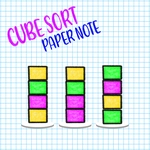
Drag pastel cubes onto matching stacks and clear the board one color at a time in this deceptively simple sorting puzzle.
💬What is Cube Sort: Paper Note?
I'll admit, I opened Cube Sort: Paper Note expecting another mindless color match. Ten minutes later I was still hunched over the screen, muttering at a teal cube that absolutely would not fit where I needed it. The paper note aesthetic is a stroke of genius — pastel blocks look like sticky notes torn from a desk pad, and the soft shadows make every stack feel tactile. You drag cubes between columns, trying to gather all colors together. It starts easy: three colors, plenty of room. Then the board fills, and suddenly you're playing four-dimensional chess with a palette.
The core loop is simple: tap or click a cube, then a destination column. Same-color cubes stack, mismatched cubes drop below the topmost cube of that color (or not, depending on the level's rules). What trips you up isn't the mechanic, but the lack of wiggle room. I kept thinking I had one more move, then realized that teal block was now buried under three pinks with zero empty columns to shuffle. That's when the game flips from relaxing to quietly savage. A single undo would be a mercy — but it doesn't have one, so every drop matters. The levels ramp up in color count and column layout, and by level 20 you'll be staring at the screen like it personally wronged you.
Still, it's exactly the kind of puzzle I'll open during a break because it respects your time: no timers, no ads shoved between moves, just clean sorting. If you need a brain cleanser that occasionally throws a curveball, this is a solid pick. Just don't blame me when you lose an afternoon to a stack of stubborn yellow cubes.
👥How to Play Cube Sort: Paper Note
Game Controls:
LEFT CLICK
✨Game Tips
• Always keep one column empty as a buffer — it's your only safety net for shuffling cubes.
• Before dropping a cube, check if it blocks another color you'll need soon.
• If a color has only one cube left and it's buried, work to expose it early.
• Don't fill a column to the top with mixed colors unless you can undo (you can't).
• On new levels, scan for colors that already have a full column ready; build around those.
🔧FAQ
Q: Is Cube Sort: Paper Note free to play?
A: Yes, it's completely free in your browser with no paywalls.
Q: Can I play Cube Sort: Paper Note on mobile?
A: Yes, touch controls work great on phones and tablets.
Q: Do I need to download anything to play?
A: No downloads — it runs instantly in any modern web browser.
Q: What are the controls for Cube Sort: Paper Note?
A: Left click (or tap) a cube, then click/tap the column to move it.
Q: Is there an undo button if I make a mistake?
A: No undo, so plan each move carefully before you drop a cube.
Q: How many levels does Cube Sort: Paper Note have?
A: Dozens of levels with increasing colors and tighter column layouts.