
Cube Surfer 3D
Play Count0
Published2021-12-21
Supported DevicesPC + Mobile
CategoryArcade & Classic
Rating★★★★★5.0Rate this game
📝Cube Surfer 3D Overview
How many cubes can you stack as you weave through a neon obstacle course—before one bad turn leaves you with nothing but a single block?
💬What is Cube Surfer 3D?
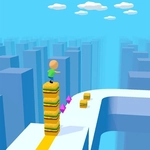
There's a weird satisfaction in watching a tower of cubes grow behind you. One little nudge of the mouse and your surfer glides left. Another, and he's back in the center lane. The cubes snap into place like they were always meant to be there. Then a red barrier with a big '18' on it appears ahead. You have 42 cubes. Do you risk it?
The real tension is in the math. Every barrier shows a number. If your stack is taller than that number, you smash through and keep the extra cubes. If it's shorter, you lose cubes until you're down to the number on the sign—or worse, you're left with one lonely block. I've had runs where I've lost half my tower in one stupid turn and just sat there watching the cubes scatter. The final ramp is the payoff. You want to hit it with a ridiculous tower, because the wall at the end has a number too. Watching your massive cube stack plow through a '100' wall is pure dopamine.
It's not deep, and it's not trying to be. It's the kind of game you open for five minutes and suddenly forty minutes are gone. The neon colors, the swish of the mouse, the occasional rage-quit when a moving pillar shaves you down to nothing. If you need a break from games that ask you to read tutorials, this is your stop.
👥How to Play Cube Surfer 3D
Mouse Control
✨Game Tips
Keep your stack tall early; even a small lead helps you punch through mid-game barriers without losing cubes.
Watch the numbers on obstacles, not just the shape—if you have fewer cubes than the sign, bail to another lane fast.
Don't hug the edges; the camera angle can hide incoming pillars until it's too late to dodge.
Save your biggest stack for the final ramp; a full tower can smash through the last wall without dipping below the multiplier.
If you're low on cubes, weaving through narrow gaps is better than trying to collect more in a risky line.
Use subtle mouse flicks instead of wide sweeps—overcorrecting is the fastest way to clip a barrier.
🔧FAQ
Q: Is Cube Surfer 3D free?
A: Yes, it's completely free to play in your browser with no hidden costs or paywalls.
Q: Can I play Cube Surfer 3D on mobile?
A: Mobile browsers support it, but a mouse gives you much finer control over lane changes. Touchscreen works fine for casual runs.
Q: Do I need to download anything to play Cube Surfer 3D?
A: No downloads or installs needed. It runs directly in your web browser using HTML5.
Q: What if the game loads but I can't move the character?
A: Make sure the game window is focused and click inside it once. Then move your mouse to steer.
Q: Is there a way to restart a run quickly?
A: The game usually auto-restarts after a fail. If not, refreshing the page always resets your progress.
Q: How do I know which obstacles will take away cubes?
A: Red barriers display numbers that indicate how many cubes you lose or need. Compare that to your current stack before you pass.