
Cube Tri
Play Count0
Published2023-01-04
Supported DevicesPC
CategoryArcade & Classic
Rating★★★★★5.0Rate this game
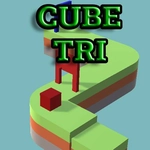
📝Cube Tri Overview
One tap changes everything — match the cube's color and shape to the gates before you shatter into a dozen pieces.
💬What is Cube Tri?
One button is all you get in Cube Tri — left mouse or right arrow — and somehow that's enough to keep you locked in for way longer than you planned. The cube slides forward on rails, and every gate you hit demands a matching color or shape. Tap to flip the cube's configuration right before contact; misjudge by a split second and you'll shatter into pieces. It sounds simple, but the speed ramps up until you're reacting on pure instinct.
The thing I kept noticing is how the game punishes hesitation. Early levels let you coast, but soon the gates come in rapid sequences where switching too early is just as deadly as switching late. There's a rhythm to it — I found myself counting beats under my breath, then getting thrown off by a double color gate. The minimal neon look keeps the focus on the timing; no clutter, just you, the cube, and the next obstacle.
If you like twitchy arcade games where one mistake ends the run, this scratches that itch. It's the kind of game you open for two minutes and close forty minutes later, muttering 'one more try.'
👥How to Play Cube Tri
Press the left mouse button or right arrow key to change the color or shape of the cube.
✨Game Tips
Tap earlier than you think when gates come in clusters; the animation has a slight wind-up.
Focus on the next gate's color, not the cube's current state — peripheral vision is your friend.
Use the right arrow key instead of the mouse on a laptop; it's less likely to cause accidental double taps.
Don't panic-switch twice. Wait for the exact moment the outline lights up.
If a gate has two colors, switch only when the first matches, then immediately prepare for the second.
Keep your finger off the button between gates to reset your timing.
🔧FAQ
Q: Is Cube Tri free to play?
A: Yes, it's completely free in your browser, no payment or account required.
Q: Can I play Cube Tri on mobile?
A: Yes, it works on touchscreens — just tap the screen to switch the cube.
Q: Do I need to download anything to play Cube Tri?
A: No downloads needed. It runs in any modern browser as HTML5.
Q: What do I actually control in Cube Tri?
A: You change the cube's color or shape with one input to match gates ahead.
Q: Is Cube Tri difficult?
A: It starts easy but gets fast quickly. Expect plenty of restarts.
Q: Can I use a keyboard instead of the mouse?
A: Yes, the right arrow key does the same job as the left mouse button.