
Cube Up
Play Count0
Published2021-06-24
Supported DevicesPC + Mobile
CategoryPuzzle & Thinking
Rating★★★★★5.0Rate this game
📝Cube Up Overview
Stack, time, and launch your way through a towering puzzle where one wrong tap sends blocks tumbling.
💬What is Cube Up?
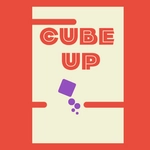
So there I was, staring at a stack of cubes wobbling on screen, finger hovering over the tap zone. Cube Up doesn't care about your patience—it wants timing. The premise is deceptively simple: a cube rockets upward, and you tap to lock it into place atop a growing column. But the alignment window shrinks, the speed kicks up, and suddenly that perfect tower turns into a leaning mess. It's the kind of puzzle that feels like a rhythm game wearing a geometry costume.
The real hook is the "one more try" loop. You'll miss by a hair, watch the block slide off, and instantly restart because the fix is obvious. I found myself counting beats, not pixels—tap on the downbeat, let the cube settle, repeat. There's no story, no tutorial overload; just you and an ever-rising stack. The subtle screen shake and the satisfying click when a block locks give it a tactile feel that's rare in browser games. You'll chase a higher stack until your thumb cramps.
Is it easy? First few blocks sure. Then the curve bends hard. Colors shift, backgrounds pulse, and the game quietly dares you to blink. If you like puzzle games that punish greed, this one's a sneaky time thief. Good for quick breaks, terrible for productivity.
👥How to Play Cube Up
Tap on the screen to play this game.
✨Game Tips
Wait for the wobble to settle before tapping the next block—timing beats speed.
Don't chase perfect alignment every time; a slightly off-center lock still counts.
Listen for the click rhythm and use it like a metronome when blocks speed up.
If you're on a high streak, stop blinking at the background; it's designed to distract.
Practice with short sessions to build muscle memory before going for a huge tower.
🔧FAQ
Q: Is Cube Up free?
A: Yes, it's completely free to play in your browser.
Q: Can I play Cube Up on mobile?
A: Yes, just tap the screen to control the cube.
Q: Do I need to download anything?
A: No download needed, it runs in any modern browser.
Q: Is Cube Up unblocked at school?
A: Usually yes, since it's an HTML5 game with no install.
Q: How do I control Cube Up?
A: Tap or click to lock the moving cube into place.
Q: What if I can't get past a certain height?
A: Slow down and tap only when the cube lines up near the center.