
Cut it Perfect
Play Count0
Published2021-06-11
Supported DevicesPC + Mobile
CategoryArcade & Classic
Rating★★★★★5.0Rate this game
📝Cut it Perfect Overview
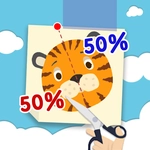
Slide your finger and slice the shape exactly in half—miss by a pixel and you'll feel it instantly, then try again for that perfect cut.
💬What is Cut it Perfect?
There's something weirdly satisfying about drawing a single line and watching a shape split clean down the middle. Cut it Perfect strips arcade action down to that one mechanic: you see a geometric shape, you slide your finger across it, and the game judges how precisely you've divided it. At first it seems too easy—a square, a circle, maybe a triangle. But the simple act of eyeballing the exact midpoint is trickier than it looks. Your finger blocks your view, the shape might be slightly rotated, and the game demands surgical accuracy. One centimeter off and you get a "Good" instead of "Perfect," and that stings more than it should.
The real hook comes when the shapes start getting weird. Irregular polygons, lopsided blobs, shapes with holes—suddenly "perfect" means cutting by area, not just down the visual middle. I caught myself mentally dividing the screen into quadrants, counting pixels, even closing one eye like a sniper. The game doesn't rush you, but each level tracks your attempts, so there's this constant tension between careful planning and just swiping already. You'll nail a cut on the first try and feel like a geometry god, then miss the same shape three times because you got cocky.
That's the loop: slice, judge, adjust, repeat. No story, no upgrades, no gimmicks. Just your finger, a line, and a growing pile of shapes that refuse to be cut evenly. If you're stuck on a level, stepping back and looking at the shape from a different angle actually helps—rotate your head or tilt the screen. It's the kind of game that's perfect for a five-minute break but quietly eats twenty. The audio is minimal, just a satisfying snip sound when you cut, and a dull thud when you're off. I found myself restarting the same shape over and over, chasing that clean split like it owed me money. Cut it Perfect doesn't pretend to be more than a precision test, but that's exactly why it's hard to put down.
👥How to Play Cut it Perfect
Slide to play.
✨Game Tips
Check the shape's symmetry before you swipe—if it's not perfectly symmetrical, aim for equal area instead of just the visual center.
On tricky shapes, trace your planned cut in the air first to see if it matches the outline's balance.
Your finger can block the view; use the very tip and keep the rest of your hand off the screen.
Don't settle for "Good"—a perfect cut often rewards extra points or unlocks the next level faster.
If you're off, look at where the cut landed relative to the shape's center of mass, not its edges.
🔧FAQ
Q: Is Cut it Perfect free to play?
A: Yes, it's completely free in your browser with no hidden fees or locked levels.
Q: Can I play Cut it Perfect on my phone?
A: Yes, the touch controls work great on mobile browsers—just slide your finger on the screen.
Q: Do I need to download or install anything?
A: No downloads needed. It runs directly in your browser as an HTML5 game.
Q: What happens if I don't cut the shape perfectly?
A: You'll get a lower score or need to retry the level, but there's no penalty for trying again.
Q: Does Cut it Perfect have a time limit?
A: Most levels don't have a timer, so you can take your time to line up the perfect cut.
Q: Can I play Cut it Perfect offline?
A: Once the game loads in your browser, you can often keep playing even if your connection drops.