
Cute Animals Coloring: Adorable Fun for Kids
Play Count0
Published2024-12-31
Supported DevicesPC + Mobile
CategoryArcade & Classic
Rating★★★★★5.0Rate this game
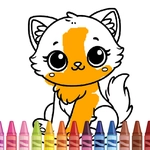
📝Cute Animals Coloring: Adorable Fun for Kids Overview
Pick up a digital crayon and turn blank animal outlines into bright, grinning masterpieces in seconds.
💬What is Cute Animals Coloring: Adorable Fun for Kids?
Got a kid who loves animals and a tablet with a sticky screen? Cute Animals Coloring solves both problems at once. The game serves up a friendly lineup of animal outlines — a sleepy panda, a splashing dolphin, a floppy-eared bunny — and a big palette of colors that actually feels nice to click. Tap a color, tap the bunny's ear, and the fill spreads instantly without bleeding into the face. That might sound simple, but for small kids still figuring out mouse control, it's the difference between fun and frustration.
No timers, no score, no wrong answers. You can make a purple lion with green stripes and nobody stops you. The undo button is a lifesaver when a stray tap turns the duck's beak hot pink. I'll admit I spent ten minutes coloring the turtle's shell in alternating orange and teal because the sections are perfectly sized for experimentation. When you finish a page, the animal does a tiny bounce — a small touch that makes it feel like your color choices actually pleased the creature.
It runs in any browser, no download needed, and it's ad-light enough to hand over without hovering. Mouse and touch controls work identically, so a phone, tablet, or desktop all works. Is it a replacement for a real coloring book? Not really. But for a quick creative break or a pre-naptime wind-down, it's hard to beat.
👥How to Play Cute Animals Coloring: Adorable Fun for Kids
Mouse click or tap to play
✨Game Tips
- Use the fill tool on larger areas first, then switch to smaller sections for details like eyes and noses.
- If a color lands wrong, tap undo right away — it only goes back one step, so don't keep coloring after a mistake.
- Try the dolphin page early: the bubbles in the background are tiny targets that help kids practice tapping accurately.
- Don't be afraid to mix clashing colors; the game never judges and some combos end up surprisingly cute.
- On touchscreens, tap with the pad of your finger, not the tip, for better accuracy.
- Save your finished animals mentally — there's no gallery, so screenshot if you want to keep one.
🔧FAQ
Q: Is Cute Animals Coloring free to play?
A: Yes, it's completely free with no paywalls or in-game purchases.
Q: Do I need to download or install anything?
A: No, it runs directly in your browser on any modern device.
Q: Can I play Cute Animals Coloring on my phone or tablet?
A: Yes, the touch controls work just as well as a mouse, and the layout adapts to smaller screens.
Q: Is this game suitable for very young children?
A: Absolutely — there's no reading required, no violence, and mistakes are easy to undo.
Q: Does the game save my colored pictures?
A: It doesn't have a built-in gallery, but you can take a screenshot to keep your favorites.
Q: What if I accidentally color outside the lines?
A: The fill tool stays inside each section, and the undo button reverses the last action instantly.