
Cute Lip Design For Marinett
Play Count0
Published2020-02-26
Supported DevicesPC + Mobile
CategoryGirls & Lifestyle
Rating★★★★★5.0Rate this game
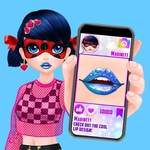
📝Cute Lip Design For Marinett Overview
Pick your palette, layer the gloss, and add sparkle until Marinett's lips look runway-ready — one click at a time.
💬What is Cute Lip Design For Marinett?
Sitting down with this one feels like flipping through a beauty vlogger’s thumbnail folder, but you’re the one doing the clicking. Marinett’s face fills most of the screen, and all the tools you need are right there — lip liner, base colors, gloss layers, and a few extra sparkly bits that look goofy until you try them. The interface won’t fight you; left-click or tap, pick a shade, and it applies instantly. There’s no timer, no scoreboard, just a blank canvas of lips and a tray of options. I spent way too long testing whether a dark purple base with gold glitter on top would clash or somehow work. (It works, if you lean into it.)
The color range isn’t exhaustive, but it’s enough to make a few distinct looks — matte nudes, coral tints, high-shine pinks, and that one glitter bomb that makes Marinett look like she’s going to a pop concert. You can swap liner color too, which matters more than you’d think; a soft brown liner under a bright pink gloss changes the whole vibe. I kept coming back to the darkest berry tone with a touch of shimmer at the center of the lower lip, which gave it a fake-plump effect. There’s no undo button, but undoing is just... picking another color. It’s low-stakes creativity.
If you have a kid or younger sibling who’s into makeup games, this one hits the sweet spot — simple enough for a five-year-old, but with just enough layer stacking that an older player can make something actually cute. It loads in a browser, no sign-up, no weird ads that cover the screen (at least on the version I played). I wouldn’t call it deep; you’ll see everything it offers in a couple of minutes, but the fun is in mixing and matching. Best advice: ignore the 'correct' combinations and go for the most absurd lip you can build. Marinett’s expression stays mildly pleased no matter what you do, which is weirdly comforting.
👥How to Play Cute Lip Design For Marinett
Left mouse button or touch.
✨Game Tips
Start with a liner shade close to the gloss you plan to use; it keeps the edges from looking messy.
Layer a lighter gloss over a dark base to create a subtle ombre effect without extra tools.
Try the glitter options last — they can overwhelm softer colors if applied first.
Use a neutral nude base when testing liner colors; bold liners pop better against it.
There's no undo, so if you hate a combo, just paint over it with a fresh shade.
Click slowly; the game registers each selection instantly, and rapid clicking can skip a color you wanted.
🔧FAQ
Q: Is Cute Lip Design For Marinett free?
A: Yes, it's completely free to play in your browser.
Q: Can I play Cute Lip Design For Marinett on mobile?
A: Yes, it works on touchscreens — just tap the options.
Q: Do I need to download anything?
A: No downloads or installs needed, it runs directly in a web browser.
Q: Is Cute Lip Design For Marinett safe for young kids?
A: Yes, it's a simple makeup game with no chat or in-app purchases.
Q: Does this game work offline?
A: No, you need an internet connection to load the game page.
Q: How do I change Marinett's lip design?
A: Click or tap any color, liner, or gloss option to apply it instantly — you can layer as many as you like.