
Cute Planes Coloring
Play Count0
Published2020-02-27
Supported DevicesPC + Mobile
CategoryArcade & Classic
Rating★★★★★5.0Rate this game
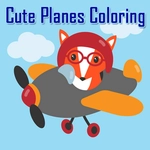
📝Cute Planes Coloring Overview
Ready to turn a fleet of blank airplanes into a sky full of personality? Pick your palette and start tapping.
💬What is Cute Planes Coloring?
There's something oddly calming about turning a blank airplane outline into a hot pink stunt jet with mint green wings. Cute Planes Coloring keeps it simple: you get a row of friendly little aircraft, each waiting for a splash of color, and a palette that's just a tap away. No timers, no scores, no angry red error messages. Just you, a bunch of colors, and the quiet satisfaction of filling in every last propeller tip.
The controls are mouse or tap, so my six-year-old niece figured it out in seconds and I may have spent way longer than I'd admit on the stealth bomber variant. What surprised me? The fill tool is extra forgiving—if you tap near an edge, it still snaps to the right section. That's the kind of small mercy that turns a coloring page into a zen garden. You also get a few different plane designs, from chunky passenger jets to little crop dusters, so you're not just coloring the same silhouette over and over.
It's the perfect unblocked game for school breaks or waiting rooms because it loads instantly and doesn't ask for your email or a login. I kept coming back to redo the same plane in different combos: teal body with orange accents, then a full rainbow mess, then a midnight navy with silver stars. There's no wrong answer, and that's rare in a world of high-pressure games. If you need to give your brain a break without turning it off completely, Cute Planes Coloring nails that sweet spot.
👥How to Play Cute Planes Coloring
Use your mouse to play the game or tap on the screen.
✨Game Tips
Tap the paint bucket icon for an instant fill instead of dragging over every tiny wing.
Limit each plane to three colors max—two shades of the same hue plus a contrast color keeps it looking crisp.
Color the background first so the plane's outline doesn't blend into a white page.
Check the propeller's edge: if a section won't fill, you might have left a single unpainted pixel.
Use the undo button right after a bad color choice—it's faster than recoloring the whole section.
Screen-record or screenshot your finished plane if you want to keep it; the game may not auto-save.
🔧FAQ
Q: Is Cute Planes Coloring free?
A: Yes, it's completely free to play in any browser.
Q: Can I play Cute Planes Coloring on mobile?
A: Yes, the game works with touch screens on phones and tablets.
Q: Do I need to download anything to play?
A: No, it runs directly in your browser using HTML5—no app store needed.
Q: What age group is this game best for?
A: Kids and casual players, but the relaxing coloring appeals to all ages.
Q: Can I save my colored plane designs?
A: You can take a screenshot; the game might not have built-in saving.
Q: Does Cute Planes Coloring have sound or music?
A: It's usually silent or has very light background music that you can mute.