
Dangerous Landing
Play Count0
Published2021-06-25
Supported DevicesPC + Mobile
CategoryArcade & Classic
Rating★★★★★5.0Rate this game
📝Dangerous Landing Overview
Tap, hold, pray — can you kiss the tarmac without turning your plane into a fireball?
💬What is Dangerous Landing?
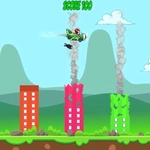
Dangerous Landing doesn't mess around. You've got a single input, a mountain of gravity, and a landing pad roughly the size of a postage stamp. Tap or hit space and your aircraft kicks upward just enough to fight the fall — hold too long and you'll rocket back into the sky, tap too little and you'll auger into the dirt. It's brutal. It's simple. It's the kind of game that lives in the gap between 'one more run' and 'I hate this.'
I kept coming back because the failure is always my fault. On one attempt I greased the landing perfectly — floated in, flared at the last second, touched down like a feather. Next run I blinked, tapped half a beat late, and smashed into a fuel tank. There's no RNG, no hidden physics weirdness. Just you, a rising panic, and that tiny pad. The speed ramps up slowly, then all at once, and you'll find yourself leaning in your chair like that helps.
The visuals are clean and readable, which matters when everything is moving fast. No clutter, no gimmicks. The sound is sparse but satisfying — a little thump when you land, a crunch when you don't. If you're looking for a quick arcade fix that actually tests your timing, this is it. Don't expect upgrades or story. Expect to die, laugh, and immediately restart.
👥How to Play Dangerous Landing
Mobile devices: Tap on the screen.
PC: Space key on keyboard.
✨Game Tips
Feather the button instead of holding it — short bursts keep your descent controlled and stop you from overshooting.
Watch the landing pad early; your aircraft drifts, so line up your horizontal position before you worry about vertical speed.
Don't panic-tap when you're close to the ground; one extra boost can send you back up and waste precious time.
The first couple attempts are for learning the fall speed, not for scoring — use them to feel the gravity.
If you're on mobile, use your thumb's side for taps — it gives more consistent timing than your fingertip.
🔧FAQ
Q: Is Dangerous Landing free to play?
A: Yes, it's completely free in your browser with no paywalls or hidden fees.
Q: Do I need to download anything to play Dangerous Landing?
A: No downloads needed. It runs on HTML5, so just open the page and start playing.
Q: Can I play Dangerous Landing on my phone?
A: Yes, the game supports touch controls — tap the screen to control your descent.
Q: What's the goal in Dangerous Landing?
A: Land your aircraft safely on the landing pad without crashing into the ground or obstacles.
Q: Does Dangerous Landing have multiple difficulty levels?
A: The difficulty increases naturally as you progress, with faster falls and harder landing zones.
Q: Is there a way to pause the game?
A: On PC you can usually press P or click outside the game area, but it's designed for quick runs.