
Dark Forest Zombie Survival FPS
Play Count0
Published2021-10-19
Supported DevicesPC
CategoryAction & Fighting
Rating★★★★★5.0Rate this game
📝Dark Forest Zombie Survival FPS Overview
Night falls fast in the forest, and the dead are already moving toward your last campfire — grab a gun and hold the line.
💬What is Dark Forest Zombie Survival FPS?
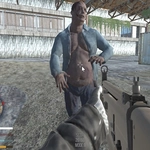
You're alone in a pitch-black forest, and the only thing between you and the horde is whatever rifle you can pry from the dirt. This FPS drops you into a small survival map with zombies closing from all sides. It's not a forgiving game—ammo is scarce, reloading takes a second too long, and the darkness hides movement until it's almost too late. I died more times than I'd like to admit before figuring out the rhythm.
The controls are classic WASD plus mouse aim, but the real trick is managing your position. You can pick up weapons with F, cycle your equipped gun with 1, and pull up the menu with Tab to see what you're carrying. The forest itself becomes your enemy as much as the zombies: tree trunks block your line of sight, shadows play tricks on your eyes, and every gunshot feels like ringing the dinner bell. That moment when you hear a snarl from behind a tree and spin to find three of them shambling out of the dark—it got my pulse up every time.
For a browser game, the atmosphere is surprisingly oppressive. The low-poly visuals and fog keep things creepy without needing a high-end PC. It's a solid pick for a quick survival rush between classes or on a break. You won't find deep story or endless missions, but if you want a tense, no-nonsense zombie shooter that runs right in your browser, this scratches the itch.
👥How to Play Dark Forest Zombie Survival FPS
WASD - walk
MOUSE- look around, aim, shoot
F - get weapon from ground
1- WEAPON echip
TAB- menu
✨Game Tips
Don't camp in one spot for long; zombies spawn from all sides.
Use the Tab menu to check ammo and weapon pickups before moving out.
Reload behind cover, not in the open—those two seconds will kill you.
Grab every dropped gun with F, even if you don't need it, to deny the horde a free weapon.
Keep moving near the edge of the map so you have fewer directions to watch.
Save your best weapon for the faster zombies that catch you off guard.
🔧FAQ
Q: Is Dark Forest Zombie Survival FPS free?
A: Yes, it's completely free to play in your web browser with no hidden fees.
Q: Do I need to download or install anything?
A: No, just open the game page and it runs instantly using HTML5.
Q: Can I play this on my phone?
A: The game supports touchscreen controls, but keyboard and mouse are recommended for aiming.
Q: What are the controls?
A: Use WASD to move, the mouse to aim and shoot, F to pick up weapons, 1 to equip, and Tab for the menu.
Q: How do I get better weapons?
A: Look for weapons on the ground, especially near the starting area, and press F to grab them.
Q: Is there a multiplayer or co-op mode?
A: No, this is a single-player survival experience only.