
Dead Zombie Hunting
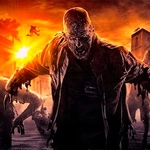
📝Dead Zombie Hunting Overview
Sprint through abandoned streets, swap weapons on the fly, and turn shambling hordes into red mist before they corner you.
💬What is Dead Zombie Hunting?
You know that moment when a zombie lurches out from behind a dumpster and your brain forgets which key is reload? Dead Zombie Hunting lives in that panic — and then hands you a slow-motion button to turn it into a power fantasy. You're dropped into a grimy, abandoned town with nothing but a pistol and the realization that the dead don't stay down. The first horde is almost a joke; you pop heads from a rooftop and feel invincible. Then a runner sprints up the stairs and suddenly you're backpedaling, fumbling for the scroll wheel to swap to the shotgun.
The controls are tight: WASD to move, mouse to aim and fire, Shift to sprint, Space to jump, and — the best part — T for time slow. That ability recharges faster than you'd expect, and it's the difference between a clean headshot on a brute and getting torn apart. I learned to save it for when three or four zombies corner me in an alley. Slow time, line up the shotgun blast, and watch them tumble. There's also an F key for using doors and pickups, which adds a tiny layer of exploration: locked rooms hide ammo caches, medkits, and occasionally a better weapon.
The game isn't story-heavy, and that's fine. It's about surviving wave after wave, managing your ammo, and learning which weapon fits which situation. The pistol is a peashooter, the shotgun deletes anything within ten feet, and the rifle rewards patience. Zombies come in variants — walkers, runners, big armored brutes — and they'll swarm from alleys, climb over cars, and sometimes surprise you from behind. I kept coming back because each run feels different depending on where you choose to make your stand. A rooftop gives you a sightline but only one escape route. The streets offer mobility but no cover. That tension is what makes it work.
👥How to Play Dead Zombie Hunting
WASD - Move
Mouse - Fire
Shift - Run
Space - Jump
Scroll - Change weapon
F - Use
T - Time slow
✨Game Tips
- Keep the shotgun for tight corridors; the spread saves you when they swarm.
- Use time slow (T) when a crowd gets too close — it turns panic into precision.
- Don't ignore F: some doors and pickups only open with it, and you'll need the ammo.
- Switch weapons with scroll wheel mid-fight; the pistol is useless against brutes.
- Run with Shift sparingly — it drains stamina, and you'll need it to create distance.
- Jump onto cars or low walls to reload safely; most zombies can't climb.
🔧FAQ
Q: Is Dead Zombie Hunting free to play?
A: Yes, it's completely free on unblocked games sites.
Q: Can I play Dead Zombie Hunting on mobile?
A: The game is designed for keyboard and mouse, so mobile isn't supported.
Q: Do I need to download anything?
A: No, it runs in your browser as an HTML5 game.
Q: What are the controls?
A: WASD to move, mouse to fire, Shift to run, Space to jump, scroll to change weapon, F to use, T to slow time.
Q: Is there a multiplayer mode?
A: No, it's a single-player survival experience.
Q: Does Dead Zombie Hunting work on school Chromebooks?
A: Yes, since it's browser-based and lightweight, it runs on most Chromebooks.