
Delete Puzzle: Erase One Part
Play Count0
Published2023-01-16
Supported DevicesPC + Mobile
CategoryArcade & Classic
Rating★★★★★5.0Rate this game
📝Delete Puzzle: Erase One Part Overview
A rubber, a messy drawing, and one hidden answer—erase the right sliver and the whole image snaps into focus.
💬What is Delete Puzzle: Erase One Part?
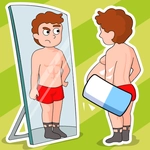
Delete Puzzle: Erase One Part does exactly what the title promises, but the devil's in deciding which line to scrub. Each level hands you a drawing that's almost right—a cat missing its tail, a coffee cup with no handle, a bicycle that's somehow two wheels and a question mark. Your finger becomes the eraser. Swipe across the wrong area and you'll carve out something important; nail the right sliver and the hidden object pops out like magic. I spent way too long on a level where a snowman was missing a carrot nose, but the carrot was actually drawn underneath a stray snowbank. That little reveal made me grin like an idiot.
The puzzles start deceptively simple—erase a line to free a ball, wipe a smudge to find a star—but soon you're staring at overlapping shapes and negative space. Some levels ask you to erase a part to create a new object entirely: a lamp becomes a mushroom, a hat becomes a boat. It's that split-second before your finger touches the screen that makes the game sing. You see the outline, you second-guess yourself, you commit. The eraser animation is satisfying, with little paper shreds scattering as you drag. Don't expect reflexes; this is pure visual logic wrapped in arcade dressing.
Each solved level rewards you with a brief, oddly calming pause before the next image loads. The difficulty curve is gentle but real—I've only genuinely stuck on two or three levels across dozens of playthroughs. If you enjoy those 'aha' moments where a blurry scribble suddenly becomes obvious, this one's worth a lunch break.
👥How to Play Delete Puzzle: Erase One Part
Tap to play
✨Game Tips
Watch the silhouette before you swipe; the negative space usually hints which part is extra.
If a level stumps you, try erasing the smallest visible line first—often it's the culprit.
Don't hold your finger down too long; some versions register a tap as a single erase attempt.
Replaying a failed level shows the same layout, so memorize the exact spot you missed.
Draw slowly and deliberately—overshooting an erase can ruin a perfect run.
Some answers hide behind obvious objects, so scan every corner before guessing.
🔧FAQ
Q: Is Delete Puzzle: Erase One Part free to play?
A: Yes, it's completely free and runs right in your browser.
Q: Can I play Delete Puzzle: Erase One Part on my phone?
A: Absolutely—the touch controls work great on mobile and tablet screens.
Q: Do I need to download anything to start playing?
A: No download needed, just open the game page and tap or click to play.
Q: What if I get stuck on a level?
A: Take a break and come back; the answer often becomes obvious with fresh eyes.
Q: Does this game work without an internet connection?
A: You need an internet connection to load the game, but it runs smoothly once open.
Q: Is Delete Puzzle: Erase One Part suitable for kids?
A: Yes, it's family-friendly with no violence or mature content.