
Digital Circus Click and Paint
Play Count0
Published2024-01-23
Supported DevicesPC + Mobile
CategoryArcade & Classic
Rating★★★★★5.0Rate this game
📝Digital Circus Click and Paint Overview
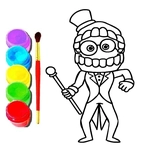
Grab the digital brush and click every outlined shape to bring the Amazing Digital Circus characters back to full color.
💬What is Digital Circus Click and Paint?
I'll admit, I clicked on this expecting a basic flash-style time waster. Instead, Digital Circus Click and Paint sneaks in that weirdly satisfying zone coloring loop. You get a black-and-white scene straight from the Amazing Digital Circus universe—Pomni's oversized eyes, Jax's lanky grin, sometimes the whole chaotic tent crew together. Your cursor becomes a paintbrush, and each click floods a bordered region with the color you've selected. That's it. No timers, no scoring, no boss fight waiting to punish you for a stray pixel. Just you, a palette, and a lot of tiny shapes.
The mouse-only control is dead simple, but there's a subtle rhythm to it. I found myself starting with the biggest background chunks so the character outlines popped faster. Then I'd work inward, saving the tiniest teeth and button eyes for last. There's a tiny jolt of dopamine when the last blank spot fills and the whole picture snaps into vibrant color. One thing I noticed: the game doesn't tell you if you've missed a section, so if a character's glove looks weirdly pale, scan the outer edges carefully. The outline lines are thick enough that you rarely click outside the zone by accident.
If you're a fan of the show, the color choices are familiar enough to feel authentic—Jax's purple hair, Pomni's red-and-blue hat, Ragatha's patchwork dress. It's a low-pressure palette cleanser after a few rounds of sweaty action games. I kept coming back because it's the digital equivalent of coloring inside the lines, except you can't tear the paper if you press too hard. That's a win in my book.
👥How to Play Digital Circus Click and Paint
Mouse to play.
✨Game Tips
["Start with the largest background areas first; it makes character outlines pop and reduces missed spots.","Watch the edges of gloves and ears—tiny unpainted slivers are easy to overlook until the final picture looks faded.","Pick a color, then click all matching regions before switching palettes; it saves constant back-and-forth.","If a section seems to ignore your click, zoom in or click dead center on the shape to trigger the fill.","Use bright, saturated colors first; darker shades applied over them can muddy the final look if you change your mind."]
🔧FAQ
Q: Is Digital Circus Click and Paint free?
A: Yes, it's completely free to play in your browser with no payment wall.
Q: Can I play Digital Circus Click and Paint on mobile?
A: On most phones and tablets, tapping the screen works like clicking with a mouse.
Q: Do I need to download anything to play?
A: No downloads or plugins are required; the game runs directly in a web browser.
Q: Does Digital Circus Click and Paint work at school?
A: It usually works on unblocked game sites, but your school's network may block certain domains.
Q: Is there a timer or score in the game?
A: No, you can color at your own pace without any time pressure or points.
Q: Can I save or print my finished artwork?
A: The browser version doesn't include a save button, but you can take a screenshot of your finished piece.