
Digital Circus Town Builder
Play Count0
Published2023-12-21
Supported DevicesPC + Mobile
CategoryAction & Fighting
Rating★★★★★5.0Rate this game
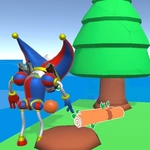
📝Digital Circus Town Builder Overview
Grab your mouse, drop a ferris wheel next to a funhouse, and turn bare dirt into a bizarre Digital Circus town that actually functions.
💬What is Digital Circus Town Builder?
I wasn't expecting much from a browser builder, but Digital Circus Town Builder got its hooks in fast. You start with a patch of dirt and a row of circus-themed buildings—tents, ride platforms, maybe a giant top hat if you're lucky. Click or tap to place them, then watch tiny characters wander between attractions. The real trick is making sure they don't get stuck behind a popcorn stand.
About ten minutes in, I had a loop: plop down a ticket booth, drag a path toward the ferris wheel, then spam a few food stalls near the entrance. A little clown NPC walked up, bought something, and spun around the wheel twice before leaving. That's the kind of tiny payoff that kept me clicking. It's not deep strategy—more like a casual sandbox with a creepy-funny Circus vibe. The colors are loud, the animations are simple, and nothing punishes you for experimenting.
Mouse or tap, no keyboard needed. If you're on a phone, it's surprisingly smooth. I'd call it a management-lite toy rather than a full sim; you're not balancing budgets, just building something that looks alive. That's fine. Sometimes you want a weird little town where Jax's face shows up on a building and nobody questions it.
👥How to Play Digital Circus Town Builder
Mouse click or tap to play
✨Game Tips
• Start by placing wide paths between tents—narrow gaps cause little traffic jams and wasted clicks.
• Tap faster when a new building unlocks; there's often a short window before the slot disappears.
• Put food stalls near the entrance, not the back corner, or your characters will wander off bored.
• Experiment with stacking ride platforms close together; performance stays smooth even on low-end devices.
• Don't ignore the decorative items—they make the town feel busier and can trigger bonus animations.
• If things get cluttered, tap the trash icon to delete a few tents and reorganize the layout.
🔧FAQ
Q: Is Digital Circus Town Builder free?
A: Yes, it's completely free to play in your browser with no hidden paywalls.
Q: Can I play Digital Circus Town Builder on mobile?
A: Yes, just tap the screen instead of clicking; the game works on most touch devices.
Q: Do I need to download anything to play?
A: No downloads or installs needed—it runs directly on the website as an HTML5 game.
Q: What are the controls?
A: Mouse click or tap to place buildings; no keyboard commands required.
Q: Does Digital Circus Town Builder save my progress?
A: It usually resets after you close the tab, so build a layout you like in one sitting.
Q: Is there a time limit or losing condition?
A: No, it's a relaxed sandbox; you can build at your own pace without failing.