
Dinosaur Hunting Dino Attack 3D
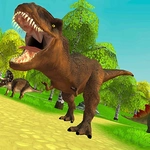
📝Dinosaur Hunting Dino Attack 3D Overview
Grab your rifle, crouch behind cover, and line up perfect headshots on rampaging dinosaurs before they tear through the jungle and make you their next meal.
💬What is Dinosaur Hunting Dino Attack 3D?
You’re dropped into a thick, sweaty jungle with nothing but a rifle and a very real sense that something enormous is crashing through the ferns toward you. This is Dinosaur Hunting Dino Attack 3D, and it doesn’t waste time on tutorials. You move with WASD, aim with the right mouse button, and fire with the left. The first time a raptor leaps at your face, you’ll panic-scroll that mouse wheel to switch to a shotgun. I did, anyway—and the shotgun is not always the best idea when a T-Rex is closing in from twenty meters.
What keeps me coming back is how unscripted the hunts feel. Some dinos charge straight at you; others circle and try to flank. Crouching behind a rock actually matters here, because their AI doesn’t just stand there waiting to be shot. The sound design helps too—heavy footfalls, screeches, and the thud of your own heartbeat when you’re out of ammo. There’s a weapon wheel with rifles, shotguns, and even a rocket launcher if you can stay alive long enough to earn it. Each kill drops points, and bigger dinos are worth more, but they’re also harder to bring down.
The controls list includes H to holster weapons and L to lock the cursor, which is a small but thoughtful touch for a browser shooter. It’s not realistic mil-sim stuff—it’s arcade hunting with teeth. Dinosaur Hunting Dino Attack 3D scratches that itch for players who just want to blast prehistoric monsters without a bunch of story cutscenes getting in the way.
👥How to Play Dinosaur Hunting Dino Attack 3D
WASD - Move
Left Mouse Button - Shoot
Right Mouse Button - Aim
Mouse Wheel - Change Weapons
Space - Jump
Ctrl - Crouch
H - Remove Weapons
L - Lock The Cursor
✨Game Tips
Use crouch (Ctrl) constantly—it steadies your aim and makes you a smaller target when raptors swarm.
Switch to the shotgun for fast-moving small dinos, but keep the rifle for distance shots on T-Rex heads.
Aim for the head: most dinosaurs go down in half the time with clean headshots.
Lock the cursor (L) if you’re playing on a desktop with multiple monitors—it stops your mouse from drifting off-screen.
Don’t stand still while reloading; strafe with A and D to avoid incoming charges.
Use H to holster weapons when you need to sprint, then quickly redraw when you spot a target.
🔧FAQ
Q: Is Dinosaur Hunting Dino Attack 3D free to play?
A: Yes, it’s completely free and runs directly in your browser without any payment or subscription.
Q: Can I play Dinosaur Hunting Dino Attack 3D on mobile?
A: The game is designed for keyboard and mouse, so mobile touch controls are not officially supported.
Q: Do I need to download anything to play?
A: No downloads or installations are needed. It works on any modern browser with WebGL enabled.
Q: What are the controls for this game?
A: WASD to move, left mouse to shoot, right mouse to aim, mouse wheel to change weapons, Space to jump, Ctrl to crouch, H to holster, L to lock cursor.
Q: Is Dinosaur Hunting Dino Attack 3D suitable for kids?
A: It contains fantasy violence with dinosaur shooting, but no blood or gore. Parental discretion is advised for young children.
Q: How do I switch weapons quickly during a hunt?
A: Scroll the mouse wheel up or down to cycle through available weapons, or press number keys if assigned (some versions support 1-4).