
DinoZ
Play Count0
Published2021-08-06
Supported DevicesPC
CategoryAction & Fighting
Rating★★★★★5.0Rate this game
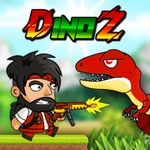
📝DinoZ Overview
Two angry dinosaurs, one tiny arena, and a wall-jump that changes everything — grab a friend and settle it in DinoZ.
💬What is DinoZ?
DinoZ is one of those local multiplayer games that turns a quiet afternoon into a shouting match. You and a friend each control a dinosaur in a single-screen arena, and the goal is brutally simple: knock the other guy out. But it's the movement that makes it sing. You can wall jump, and once you get the rhythm down, you're bouncing off the walls like a caffeinated gecko, raining down hits from angles your opponent never sees coming. I remember the first time I pulled off a wall jump into a mid-air bomb — pure chaos, and my friend threw his keyboard across the room.
The controls are tight but demanding. Player 1 uses WASD to move, F to attack, H for bombs, Q to switch weapons. Player 2 mirrors with arrow keys, L to attack, J for bombs, U to switch. Both can wall jump with W or Up Arrow. The weapon switching adds a layer of mind games — do you stick with the quick melee, or risk the bomb's longer cooldown for that satisfying explosion? The arenas are small, so positioning matters more than raw speed. Timing your wall jump just as the other dino commits is a killer move. And because it's local only, you'll need someone on the same keyboard — fair warning, elbows will be thrown.
👥How to Play DinoZ
PLAYER 1
Move: "W,A,S,D"
Hit: "F" / Bomb: "H"
Jump: "W"
Switch Weapon: "Q"
PLAYER 2
Move: "ARROW KEYS"
Hit: "L" / Bomb: "J"
Jump: "UP ARROW"
Switch Weapon: "U"
Both player can wall jump with "W" or "UP ARROW".
✨Game Tips
Master the wall jump early — it's not just for evasion, it's your best offensive setup.
Switch weapons constantly; the bomb's blast radius can catch a wall-hugging opponent off guard.
Don't button mash. A whiffed attack leaves you wide open for a punish.
Control the center of the arena; wall jumpers need space to build momentum.
Play a few rounds as both characters to learn each weapon's reach and cooldown.
If you're losing, change your jump timing — unpredictability is everything in close quarters.
🔧FAQ
Q: Is DinoZ free to play?
A: Yes, DinoZ is completely free on this site. No paywalls or hidden fees.
Q: Can I play DinoZ on my phone?
A: DinoZ needs a physical keyboard for two players, so a desktop or laptop is recommended.
Q: Do I need to install anything?
A: No download needed. DinoZ runs right in your browser as an HTML5 game.
Q: How do I perform a wall jump?
A: Player 1 presses W near a wall, Player 2 uses the Up Arrow. Time it while moving toward the wall.
Q: Is there a single-player mode?
A: No, DinoZ is strictly a local two-player duel. You'll need a friend on the same keyboard.
Q: Can I use a controller?
A: The game doesn't officially support gamepads. Keyboard controls are the way to go.